


5 Step HR Workflow Automation Rollout HR Teams Can Run Without IT
HR workflow automation replaces manual handoffs, emails and spreadsheets with structured digital paths that trigger, route and record HR tasks automatically. Done well, it reclaims hours lost to admin, cuts data errors in onboarding and leave requests, and leaves a clean audit trail for every approval. The fastest wins usually come from onboarding, leave management and payroll updates first.
TL;DR:
- HR automation tools must have deep integration with payroll, HRIS, and identity systems to enable automatic data transfer and reduce manual input.
- Starting with high-volume, multi-stakeholder workflows such as onboarding and leave management maximizes impact and reduces compliance risks early.
- Successful implementation requires detailed process mapping, testing for exceptions, and clear governance to prevent workflows from becoming outdated or non-compliant.
- Automation can significantly decrease cycle times and error rates, but only if data quality is high and processes are properly optimized first.
- Staff involvement and training are crucial to overcome resistance and ensure workflows are maintained accurately as policies and systems evolve.
Table of Contents
- What is HR workflow automation and how does it work?
- High-impact use cases: the HR workflows to automate first
- How do you implement HR workflow automation? A 5-step framework
- What should you look for in HR automation tools and integrations?
- Governance, compliance and data security for automated workflows
- How do you measure ROI and KPIs for HR automation?
- What challenges come with automating HR processes?
- Author perspective: what implementation actually teaches you
- Where Workit fits into your HR automation plan
- Sources
- FAQ
What is HR workflow automation and how does it work?
HR workflow automation is not the same as simple process automation. Process automation digitises a single task, like generating a leave form. Workflow automation strings multiple tasks, systems and people together so an entire process runs from trigger to completion without someone chasing it along the way.
The mechanics come down to four parts. A trigger starts the workflow, such as a new hire accepting an offer. Conditional routing sends tasks to the right person or system based on rules, like sending a contractor’s paperwork down a different path to a permanent employee’s. SLA timers flag when a step is overdue, so a manager who hasn’t approved leave within 48 hours gets a nudge rather than being forgotten. And an audit trail logs who did what and when, which matters the moment a Fair Work audit or an internal dispute lands on your desk.
According to Quixy’s breakdown of workflow automation, this trigger-to-audit-trail model is what separates genuine workflow automation from digitised forms that still need a human to push them along.
In practice, a single trigger can fire several parallel actions at once:
- Creating IT accounts and payroll records simultaneously, rather than sequentially
- Notifying a manager, buddy and HR admin in one step instead of three separate emails
- Updating the employee record in your HRIS the moment a contract is signed, not days later
High-impact use cases: the HR workflows to automate first
Not every HR process deserves automation on day one. Start with the ones that touch the most people, the most systems, or the most compliance risk.
- Employee onboarding automation — trigger document collection, IT provisioning, payroll setup and induction scheduling from a single “offer accepted” event, cutting first-week admin dramatically.
- Leave and absence management — automate balance validation, manager approval routing and payroll sync so an approved leave request never has to be re-entered manually.
- Recruitment and applicant tracking — automate interview scheduling, status updates and rejection notices so candidates aren’t left in silence and recruiters aren’t chasing calendars.
- Payroll and role-change synchronisation — a promotion or pay change should flow automatically from HR records into payroll, removing the lag that causes underpayment disputes.
- Performance review orchestration — automated reminders for self-assessments, manager reviews and calibration meetings keep cycles moving without an HR admin manually pinging every team.
- Offboarding and access revocation — trigger final pay calculations, equipment returns and system access removal the moment an exit date is confirmed, closing off a common security gap.
These six examples of HR automation share a pattern: high volume, multiple stakeholders, and a real cost when something slips through.
How do you implement HR workflow automation? A 5-step framework
Rolling out automation without a plan usually means automating the wrong thing first, or automating a broken process and making the mess move faster.
- Map the workflow as it actually runs, not as the policy document says it should. Talk to the people doing the work and note every handoff, approval and manual data re-entry.
- Prioritise by volume, cross-team touches, and compliance risk. A workflow that touches five systems and twelve people a month beats one used twice a year, even if the second feels more urgent.
- Design a pilot with a measurable success criterion, such as cutting onboarding time-to-productive from ten days to five, before you touch a second workflow.
- Test SLAs, exceptions and integrations during the pilot, not after. According to Quixy, most early automation failures trace back to unexamined exceptions, not technical faults, so deliberately break the pilot with edge cases before you scale it.
- Formalise governance and scale, assigning workflow owners and building in a review cadence so the automation improves as your business changes rather than quietly drifting out of date.
Pro Tip: Run your pilot on the workflow with the most repetitive human error, not the most complex one. A messy but simple process like leave approvals gives you a faster, cleaner proof of concept than a payroll integration with six edge cases.
A staged pilot to scale approach, echoed in Moveworks’ implementation guidance, keeps risk contained while you learn what your organisation’s real exceptions look like.

What should you look for in HR automation tools and integrations?
The tool matters less than what it connects to. A workflow builder with no reliable link to your HRIS, payroll platform or identity system just becomes another manual step in disguise.
- Integration depth with your HRIS, payroll (Xero and similar platforms), identity provider and calendar tools determines whether data moves automatically or someone still has to copy and paste it.
- No-code builders suit HR teams who need to adjust workflows without waiting on a developer queue, while developer platforms suit larger IT-supported organisations with custom requirements.
- Vendor-maintained, pre-built connectors save you the ongoing burden of fixing broken integrations every time an API changes on the other end.
- Security certifications, role-based access controls and data residency should be checked before contract signature, not discovered during an audit.
- Total cost of ownership includes implementation time and support, not just the monthly licence fee. Enterprises that consolidate onto a single integrated platform report meaningfully higher ROI, according to ISG’s enterprise HR survey covered by Business Wire, largely because unified data avoids the reconciliation work that siloed tools create.
Reading vendor reviews on independent platforms, such as G2’s Workato reviews, gives a reality check on integration quality before you commit.
Governance, compliance and data security for automated workflows
Automation that skips governance just moves your compliance risk somewhere faster and harder to see. Before launch, confirm the basics are locked down.
- Full audit trails and retention policies so every approval, exception and change is logged and kept as long as your obligations require.
- Access controls and approval matrices that match your actual delegation of authority, not a default template.
- Data residency and regulatory checks, particularly if any part of your workflow or storage sits offshore.
- Exception-handling rules and SLA escalation paths defined in advance, so an unusual case doesn’t sit unresolved for weeks.
- Documented policies mapped to each workflow, so HR policy and system behaviour stay aligned as both evolve.
The Fair Work Ombudsman remains the primary Australian authority on employer recordkeeping obligations, and automation only helps meet those obligations when it is configured and governed correctly, not left to run unsupervised.
How do you measure ROI and KPIs for HR automation?
You cannot prove the value of automation without a baseline. Measure your current cycle times and error rates before you switch anything on.
- Process cycle time — how long onboarding, leave approval or offboarding actually takes, start to finish.
- Completion rate — the percentage of workflows finishing without manual intervention or escalation.
- Exception rate — how often a workflow needs a human to step in and override the standard path.
- Time saved — hours reclaimed per cycle, translated into a dollar figure using your team’s fully loaded hourly rate.
HR teams typically spend a disproportionate share of their week on repetitive administrative tasks, and AIHR’s research on HR automation points to this reclaimed time as one of the clearest, most defensible ROI arguments for automation projects. Track adoption and staff satisfaction alongside these operational numbers, and review the results quarterly rather than annually. Waiting a full year to check whether a workflow is working means you carry a broken process for far too long.
What challenges come with automating HR processes?
Most automation projects don’t fail on technology. They fail on people and data.
- Staff resistance eases when you involve end users early and explain what changes for them, not just for HR.
- Poor data quality gets automated at speed, so clean your records before you switch a workflow on, not after.
- A broken process automated is still broken, only faster. Fix the process first.
- Unclear ownership lets workflows drift out of date as policies or systems change around them.
- Under-investment in training and documentation leaves frontline staff unsure what to do the moment an exception appears.
Pro Tip: Before automating any workflow, ask the team running it manually today what they’d change if they could. Their answer is usually your first fix, and automating that fix first prevents you from baking a known problem into the new system.
Author perspective: what implementation actually teaches you
The biggest lesson from watching HR teams roll out automation is that the technology rarely disappoints, the process mapping does. Teams consistently discover handoffs nobody had written down, an approval that secretly went through someone’s personal inbox, a spreadsheet nobody admitted still existed. Small pilots surface these gaps cheaply. Skipping straight to a full-scale rollout means you find them expensively, usually mid audit.
— Stephen
Where Workit fits into your HR automation plan
If onboarding, compliance forms and approval chasing are eating your week, Workit is built to close that gap without asking your team to manage six disconnected systems. It brings recruitment, onboarding, leave, compliance tracking, performance reviews and offboarding into one platform, with real-time reporting and payroll integrations like Xero, so the workflows described above don’t need separate tools stitched together.
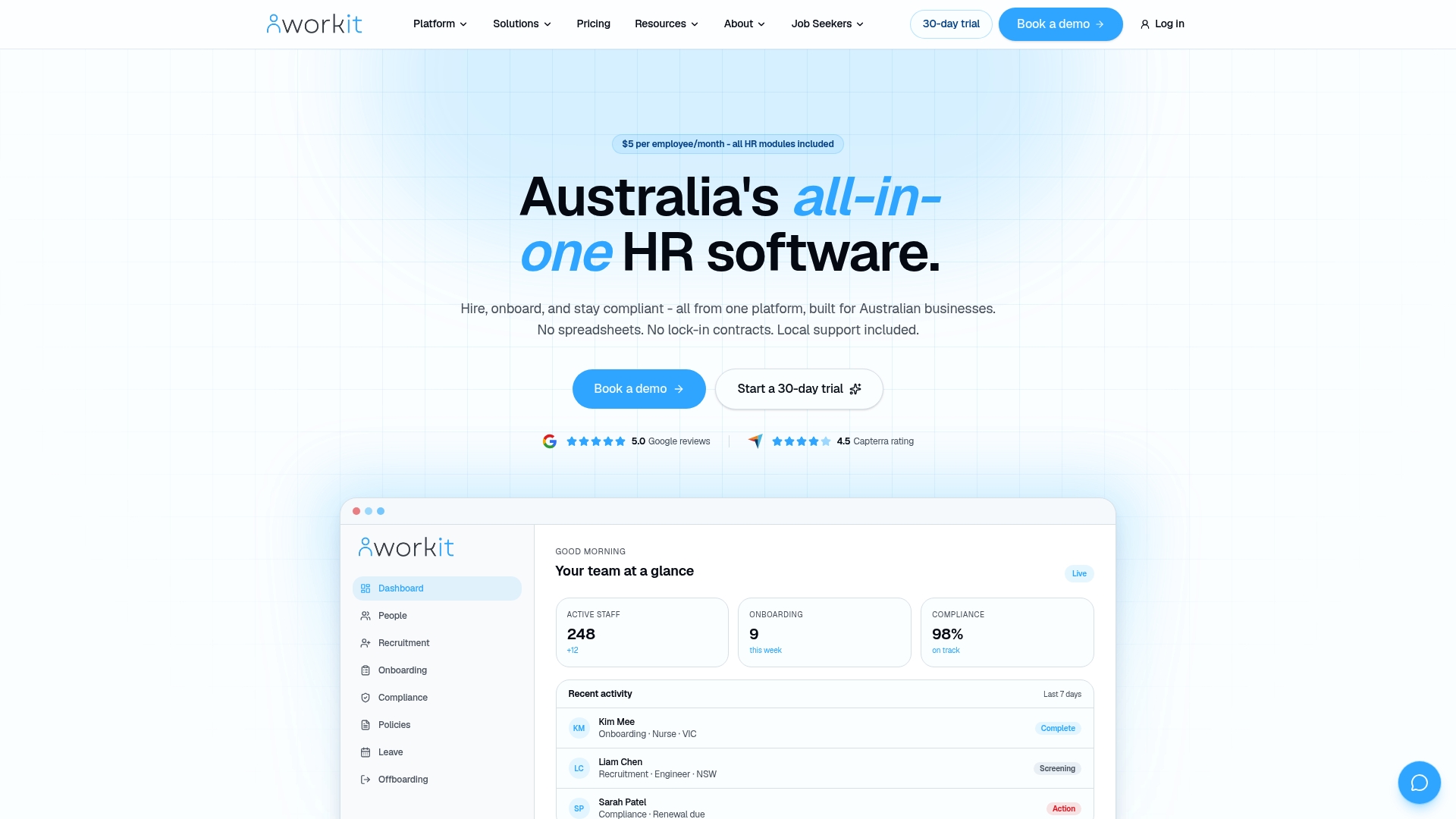
Every module is included in the flat $5 per employee, per month pricing, with no add-on fees for compliance tracking or reporting. Because Workit’s support team is based in Australia, questions about awards, entitlements or audit readiness get answered by people who already understand the Fair Work landscape you’re operating in. If you’re mapping out your first automation pilot, start with onboarding, the workflow most HR teams see the fastest return on, and book a demo to see how it runs before you commit.
Sources
- HR workflow automation with no-code (Quixy)
- Fair Work Ombudsman media release (Fair Work)
- HR automation overview and benefits (AIHR)
FAQ
What are some examples of HR workflow automation?
Common examples include automated onboarding (document collection, IT setup, payroll sync), leave request routing and approval, performance review reminders, and offboarding access revocation.
What are the top HR software features to look for?
Look for integration depth with payroll and HRIS systems, no-code workflow builders, audit trails, role-based access controls and transparent pricing, all of which Workit includes as standard modules.
What are the five steps of workflow automation implementation?
Map the current process, prioritise by volume and risk, run a measurable pilot, stress-test SLAs and exceptions, then formalise governance and scale.
How can I automate my HR workflow without heavy IT involvement?
Choose a platform with pre-built, vendor-maintained connectors and a no-code builder, start with a single high-volume workflow like onboarding, and involve the people who run the process manually before you switch it on.
Does automating HR processes actually reduce errors?
Yes. Automated routing and validation remove the manual re-entry steps where most data errors happen, particularly in leave balances and payroll updates, though the process being automated still needs to be correct in the first place.