


HR compliance software must-have features for Australian businesses
Australian HR compliance software must cover payroll, Fair Work, leave, WHS, superannuation, data privacy, audit readiness, and government integration to keep your business legally protected. These are not optional extras. Each feature category maps directly to a specific legal obligation under Australian law, and gaps in any one of them create real exposure to fines, disputes, and reputational damage.
Here is a quick overview of the core feature categories every Australian HR compliance platform should include:
- Payroll compliance and taxation: automated award interpretation, tax calculations, and payslip accuracy
- Fair Work and employment law: NES tracking, award classifications, and contract management
- Leave and absence management: automated leave balances, leave loading, and approval workflows
- WHS compliance: incident reporting, psychosocial hazard tracking, and risk management tools
- Superannuation compliance: automated contributions, Payday Super support, and deadline alerts
- Data privacy and employee records: role-based access, audit trails, and Privacy Act alignment
- Reporting and audit readiness: exportable logs, compliance dashboards, and historical data retention
- Government system integration: automated award rate updates, ATO reporting, and clearing house support
The sections below break down each of these areas in detail, including what to look for, why it matters under Australian law, and where the risks sit if you get it wrong.
1. What are the must-have payroll compliance features in HR software?
Payroll compliance is where most Australian businesses face their greatest legal exposure; managing this effectively is critical to beheer je flexibele team and maintaining compliance. The Fair Work Commission’s Annual Wage Review increases award rates annually, which means any software not automatically updating award rates puts you at immediate underpayment risk.
The payroll features your software must include:
- Automated award interpretation: the system should identify the correct modern award for each role, calculate minimum base rates, penalty rates, overtime, and allowances without manual input
- Payslip compliance: payslips must meet Fair Work Act requirements, including itemised deductions and leave balances
- Real-time payroll validation: checks each pay run against current award conditions before processing
- Tax calculation and STP Phase 2 reporting: Single Touch Payroll Phase 2 requires detailed income type reporting to the ATO, and your software must handle this automatically
- Payday Super readiness: from 1 July 2026, superannuation contributions must be paid on the same cycle as wages, so payroll and super calculations need to be fully integrated
Pro Tip: Before selecting any HR software, conduct a compliance gap analysis that maps your specific regulatory obligations against your current tech stack. This prevents you from paying for features you do not need while missing the ones that address your actual risks, such as specific award coverage or Payday Super readiness.
Automated award classification engines analyse role descriptions and industry context to recommend correct award classifications and calculate minimum entitlements. This reduces underpayment risk far more reliably than manual processes.

2. How does HR software support Fair Work and employment law compliance?
Fair Work compliance goes well beyond paying the right rate. The Fair Work Act 2009 imposes obligations around employment contracts, the National Employment Standards, award classifications, and statutory deadlines that require active tracking and accurate record keeping.
Key capabilities to look for:
- NES compliance monitoring: the software should track all 11 National Employment Standards, including maximum weekly hours, flexible work requests, and notice of termination
- Employment contract management: version-controlled templates that reference current award conditions and Fair Work Information Statement requirements
- Statutory deadline tracking: 21-day unfair dismissal deadlines are automatically tracked with reminder alerts at multiple intervals, preventing missed legal windows
- Award classification accuracy: automated tools that match employees to the correct award based on role duties and industry, not just job title
- Policy update alerts: the system notifies you when Fair Work regulations change, so your documents and processes stay current
The Fair Work Ombudsman recommends that employers maintain accurate records of employees, hours worked, wages paid, and superannuation contributions. An HRIS that automates this record-keeping provides a defensible audit trail in the event of an investigation.

3. What leave and absence management features does compliant HR software need?
Leave management sounds straightforward until you are calculating leave loading for a part-time employee on a modern award while managing a parental leave return. Accurate leave and absence management integrated with payroll is required to comply with NES leave entitlements under the Fair Work Act.
Your software should handle:
- Automated leave balance calculations: annual leave, personal and carer’s leave, compassionate leave, and long service leave, each accruing at the correct rate for the employment type
- Leave loading: automatically applied where the applicable award requires it, calculated at the point of payment
- Parental leave tracking: both government-funded and employer-funded entitlements, with return-to-work dates and flexible arrangements recorded
- Absence request and approval workflows: employees submit requests through the platform, managers approve or decline with a full audit trail retained
- Payroll integration: approved leave flows directly into the pay run with correct tax treatment, eliminating double entry
Workit’s leave management module integrates directly with Xero, so leave approvals feed into payroll without manual reconciliation. That kind of direct connection removes a common source of underpayment errors.
4. Which WHS compliance features should your HR software include?
Workplace health and safety compliance in Australia has expanded significantly. Psychosocial hazard risk management is now required under the model WHS Regulations, and workforce analytics software can help identify and track these risks systematically. Safe Work Australia’s model Code of Practice for managing psychosocial hazards requires employers to use appropriate methods to identify risks, and data-driven analytics provides a defensible approach to that obligation.
WHS features to prioritise:
- Incident reporting and tracking: employees and managers can log incidents, near misses, and hazards directly in the platform, with automatic escalation workflows
- Psychosocial hazard identification: workforce analytics tools analyse survey data, absence patterns, and incident reports to flag departments or roles with elevated psychosocial risk
- Continuous improvement tracking: the system records control measures and tracks their effectiveness over time, which is particularly important evidence during a regulator investigation
- WHS Act alignment: the software should reflect obligations under the model WHS Act and state-specific WHS legislation
- AI governance for safety tools: AI-assisted risk tools require human oversight to avoid inaccurate or biased decisions, so look for platforms that maintain a human review step for safety-critical outputs
Workit’s consistent HR processes reduce WHS risk exposure by ensuring every incident is captured and every control measure is documented, rather than sitting in someone’s email inbox.
5. How should HR software manage superannuation compliance?
Superannuation compliance is about to become significantly more demanding. Payday Super, effective from 1 July 2026, requires employers to pay superannuation contributions on the same cycle as wages rather than quarterly. Software that cannot handle this change will create immediate compliance failures.
Superannuation features your platform must include:
- Automated contribution calculations: the correct percentage applied to ordinary time earnings for each employee, with correct treatment of overtime and allowances
- Payday Super support: contributions calculated and submitted on each pay cycle, not batched quarterly
- Deadline alerts: notifications when contribution deadlines are approaching, with escalation if a payment is missed
- Clearing house integration: direct connection to the ATO’s Small Business Superannuation Clearing House or a compliant commercial clearing house
- Audit-ready contribution records: a full history of contributions, fund details, and payment confirmations exportable for regulatory review
Superannuation underpayment attracts the Superannuation Guarantee Charge, which includes the shortfall amount, an interest component, and an administration fee. Automated calculations remove the manual errors that most commonly trigger these charges.
6. How does HR software protect employee data and meet privacy obligations?
The Privacy Act 1988 governs how Australian businesses handle personal information, and HR software sits at the centre of that obligation. The employee records exemption under the Privacy Act applies only to current or former employees’ data that is directly related to the employment relationship. Job applicants, contractors, and sensitive information collected before employment begins fall outside that exemption and require full Australian Privacy Principles compliance.
Privacy and records management features to look for:
- Role-based access controls: limiting data visibility to authorised users reduces the risk of data breaches and supports Privacy Act compliance
- Audit trails for data changes: every modification to an employee record is logged with a timestamp and user ID, providing evidence of responsible data handling
- Data retention and deletion policies: automated schedules that retain records for the required period and then flag them for deletion, aligned with workplace record-keeping obligations
- Privacy impact assessments: the platform should support or prompt PIAs before deploying new data collection tools, particularly AI-assisted features
- Sensitive information handling: separate controls for health data, workers’ compensation records, and psychosocial risk assessment data, which carry stricter obligations
From 10 december 2026, new Australian Privacy Principles 1.7 to 1.9 will require organisations using automated decision-making tools to disclose this in their privacy policy. HR software that uses AI for any compliance or HR decision will need to support this disclosure requirement.
7. What reporting and audit readiness features does compliant HR software need?
HR compliance reporting explained simply: your software should be able to produce evidence of compliance on demand, not just after a problem has been identified. Document management with version control and audit trails ensures evidence of compliance for audits and legal review is stored and easily accessible.
Reporting and audit features to prioritise:
- Automated compliance reports: pre-built reports covering Fair Work obligations, WHS incidents, superannuation contributions, and leave entitlements
- Exportable audit logs: complete records of system activity, document approvals, and data changes that can be exported for a Fair Work Ombudsman investigation or internal audit
- Customisable dashboards: real-time views of compliance status across the business, with alerts when metrics fall outside acceptable thresholds
- Historical data retention: records retained for the periods required by law, typically seven years for payroll and tax records under the Fair Work Act and Tax Administration Act
- AI tool transparency: where AI tools generate employee documents, the audit trail must show the instrument the output was grounded in and the human sign-off that approved it
The Fair Work Ombudsman’s guidance is clear: employers must maintain accurate records, and the burden of proof in an underpayment dispute sits with the employer. A platform that cannot produce clean, exportable records puts you at a disadvantage before a case even begins.
8. How should HR software integrate with government and regulatory systems?
Manual data entry between your HR platform and government portals is where compliance errors concentrate. Every time a payroll figure is re-keyed into an ATO portal or a superannuation contribution is manually calculated from a spreadsheet, the risk of error compounds.
Integration capabilities your software should support:
- Single Touch Payroll Phase 2: direct lodgement of payroll data to the ATO each pay cycle, with correct income type disaggregation
- Superannuation clearing house connectivity: automated submission of contributions to the ATO’s clearing house or a compliant commercial alternative
- Award rate update feeds: the system automatically applies Fair Work Commission wage review decisions, such as the 4.75% award rate increase from the 2026 Annual Wage Review, without manual intervention
- Accounting system integration: two-way data exchange with platforms like Xero and MYOB, so payroll figures reconcile automatically
- Export formats for regulatory submissions: structured data exports in formats accepted by government portals, reducing manual reformatting
When evaluating any HR platform, verify that its integrations are built for Australian regulatory requirements specifically, not adapted from a system designed for another jurisdiction.
9. What are the real risks of non-compliance for Australian businesses?
Failing to comply with Fair Work Act obligations can lead to civil penalties exceeding $50,000 and lasting damage to your organisation’s reputation. That figure covers serious contraventions, and it does not include the cost of back-paying underpaid employees, legal fees, or the management time consumed by an investigation.
The main risk categories:
- Financial penalties: civil penalties under the Fair Work Act for underpayment, record-keeping failures, and adverse action, with higher penalties for serious or repeated contraventions.
- Superannuation Guarantee Charge: shortfall amounts plus interest and administration fees, payable to the ATO when contributions are missed or underpaid
- WHS prosecutions: fines and potential personal liability for officers where a serious workplace incident occurs and the business cannot demonstrate it had adequate risk management processes in place
- Reputational damage: underpayment findings are publicly reported by the Fair Work Ombudsman, and the reputational cost with employees and customers can outlast the financial penalty
- Manual process costs: businesses relying on spreadsheets and manual calculations spend significantly more time on compliance administration and face higher error rates than those using purpose-built software
The cost of getting compliance right with good software is predictable and manageable. The cost of getting it wrong is not.
Key insight: Automated compliance checks and real-time monitoring are the most effective way to avoid the penalties, disputes, and reputational damage that follow from manual HR processes. The question is not whether you can afford compliance software. It is whether you can afford to operate without it.
10. How Workit covers every essential HR compliance feature for Australian businesses
Workit is built specifically for Australian businesses, which means every module reflects the actual obligations you face under the Fair Work Act, Privacy Act, WHS legislation, and superannuation law. There is no adapting a US or UK platform to fit Australian requirements.
Here is what Workit delivers across the core compliance areas:
- All-in-one platform: payroll compliance, leave management, onboarding, document management, and reporting in a single system, with no need to reconcile data across multiple tools
- Real-time compliance tracking: the platform monitors your compliance status continuously and surfaces alerts when something needs attention, rather than waiting for a pay run to fail
- Award and NES alignment: Workit’s modules are built around Australian award conditions and National Employment Standards, so your records stay aligned with current legal requirements
- Transparent pricing: at $5 per employee per month, every compliance module is included with no hidden fees or add-on charges for features you need to meet your legal obligations
- Local support: the Workit team is based in Australia and understands the specific regulatory environment you are working in, which means faster, more practical help when you need it
Workit’s compliance management features give HR teams and business owners a clear view of where they stand at any point, with exportable records ready for a Fair Work Ombudsman review or internal audit. For businesses that want a comprehensive overview before committing, Workit’s HR compliance buyer guide walks through the essential features in detail.
11. How does automated policy management keep your HR software current?
Australian workplace law changes regularly. Award rates are reviewed annually by the Fair Work Commission, WHS regulations are updated as new hazard categories are recognised, and privacy law is undergoing significant reform through 2026. HR software that requires manual policy updates puts the burden of tracking these changes on your team.
Automated policy management features to look for:
- Regulatory change alerts: the platform notifies you when a law or award condition relevant to your business changes, with guidance on what needs to be updated
- Policy version control: every policy document is stored with a full version history, so you can demonstrate which version was in effect at any given time
- Automated award rate updates: when the Fair Work Commission publishes a wage review decision, the software applies the new rates to the relevant awards without manual intervention
- Document approval workflows: policy changes go through a defined review and sign-off process before they take effect, with the approval recorded in the audit trail
- Employee acknowledgement tracking: employees confirm they have read updated policies through the platform, and those acknowledgements are stored as compliance evidence
The alternative is a manual process where someone on your team monitors the Fair Work Commission website, downloads updated pay guides, and manually updates your payroll system. That process is slow, error-prone, and leaves gaps.
12. Why employee training and certification tracking matters for compliance
Compliance is not just about records and pay rates. Many Australian businesses have legal obligations to ensure employees have completed specific training before performing certain tasks, and to maintain evidence that training has occurred.
Training and certification tracking features your software should include:
- Training register: a centralised record of every employee’s completed training, including the date, the trainer or provider, and the certificate or outcome
- Certification expiry alerts: automatic notifications when a licence, certification, or mandatory training is approaching its expiry date, with escalation if it lapses
- WHS induction tracking: records confirming each employee completed site-specific or role-specific WHS inductions before starting work
- Compliance training assignment: the ability to assign mandatory training modules to specific roles or teams and track completion rates
- Integration with onboarding: training requirements are automatically assigned when a new employee is onboarded, so nothing is missed in the first days of employment
For businesses in industries with strict licensing requirements, such as construction, healthcare, or transport, a lapsed certification can create immediate WHS liability. Automated tracking removes the reliance on manual calendar reminders.
13. What incident and grievance management features should HR software include?
Incident and grievance management is one of the most legally sensitive areas in HR. How you record, respond to, and resolve a workplace complaint or safety incident directly affects your legal exposure under both the Fair Work Act and WHS legislation.
Features to look for:
- Incident logging: employees and managers can record incidents, near misses, injuries, and hazards directly in the platform, with mandatory fields ensuring all required information is captured
- Grievance register: a structured log of workplace complaints, including bullying, harassment, and adverse action concerns, with timestamps and status tracking
- Escalation workflows: the system routes incidents and grievances to the correct person based on type and severity, with automatic reminders if a response deadline is approaching
- Confidentiality controls: access to grievance records is restricted to those with a legitimate need to know, protecting both the complainant and the respondent
- Resolution tracking: outcomes are recorded against each case, providing evidence that the business took the matter seriously and followed a fair process
Poorly managed grievances are a leading cause of unfair dismissal claims and adverse action applications. A platform that captures the full record of how a matter was handled gives you a defensible position if it escalates.
14. How do customisable compliance checklists and alerts reduce your risk?
Generic compliance checklists miss the specific obligations that apply to your industry, your awards, and your workforce structure. The most useful HR compliance tools checklist functionality is one you can configure to reflect your actual legal obligations.
What good checklist and alert functionality looks like:
- Configurable compliance checklists: you define the tasks, deadlines, and responsible parties for each compliance obligation, whether that is a quarterly superannuation check or an annual WHS review
- Automated deadline alerts: the system sends reminders to the relevant person before a deadline, not after it has passed
- Onboarding compliance checklists: every new starter triggers a checklist covering employment contracts, Fair Work Information Statement delivery, tax file number declarations, and superannuation fund choice
- Periodic review prompts: the platform schedules regular reviews of employment contracts, award classifications, and WHS risk assessments, so these do not fall through the cracks
- Compliance status dashboards: a real-time view of which items are complete, which are overdue, and which are coming up, across the whole business
Pro Tip: Map your compliance checklists to specific legislative obligations rather than generic HR tasks. A checklist item labelled “deliver Fair Work Information Statement” with a due date tied to the employee’s start date is far more useful than a generic “complete onboarding paperwork” reminder.
15. Why mobile access matters for remote workforce compliance
Australia’s workforce is increasingly distributed, with employees working across multiple sites, from home, or in the field. HR compliance software that only works on a desktop in a head office creates gaps in your compliance record when managers and employees are not in the office.
Mobile access features that support compliance:
- Mobile incident reporting: employees can log a WHS incident or near miss from their phone immediately after it occurs, rather than waiting until they are back at a desk
- Leave requests and approvals: managers can approve or decline leave requests from anywhere, keeping workflows moving and records current
- Document access and acknowledgement: employees can read and acknowledge updated policies or employment documents from their phone, with the acknowledgement recorded in the platform
- Training completion: employees complete mandatory compliance training modules on their mobile device, with completion automatically recorded
- Geographically distributed teams: for businesses with employees across multiple states, mobile access ensures consistent compliance processes regardless of location
The practical benefit is that compliance records stay complete in real time, rather than being reconstructed after the fact. For a Fair Work Ombudsman investigation or a WHS regulator visit, contemporaneous records carry significantly more weight than records compiled retrospectively.
Ready to cover every compliance requirement in one platform?
Workit brings every feature covered in this article into a single Australian-built platform, at $5 per employee per month with no hidden fees. From payroll compliance and Fair Work tracking to WHS incident management and superannuation reporting, every module is included.
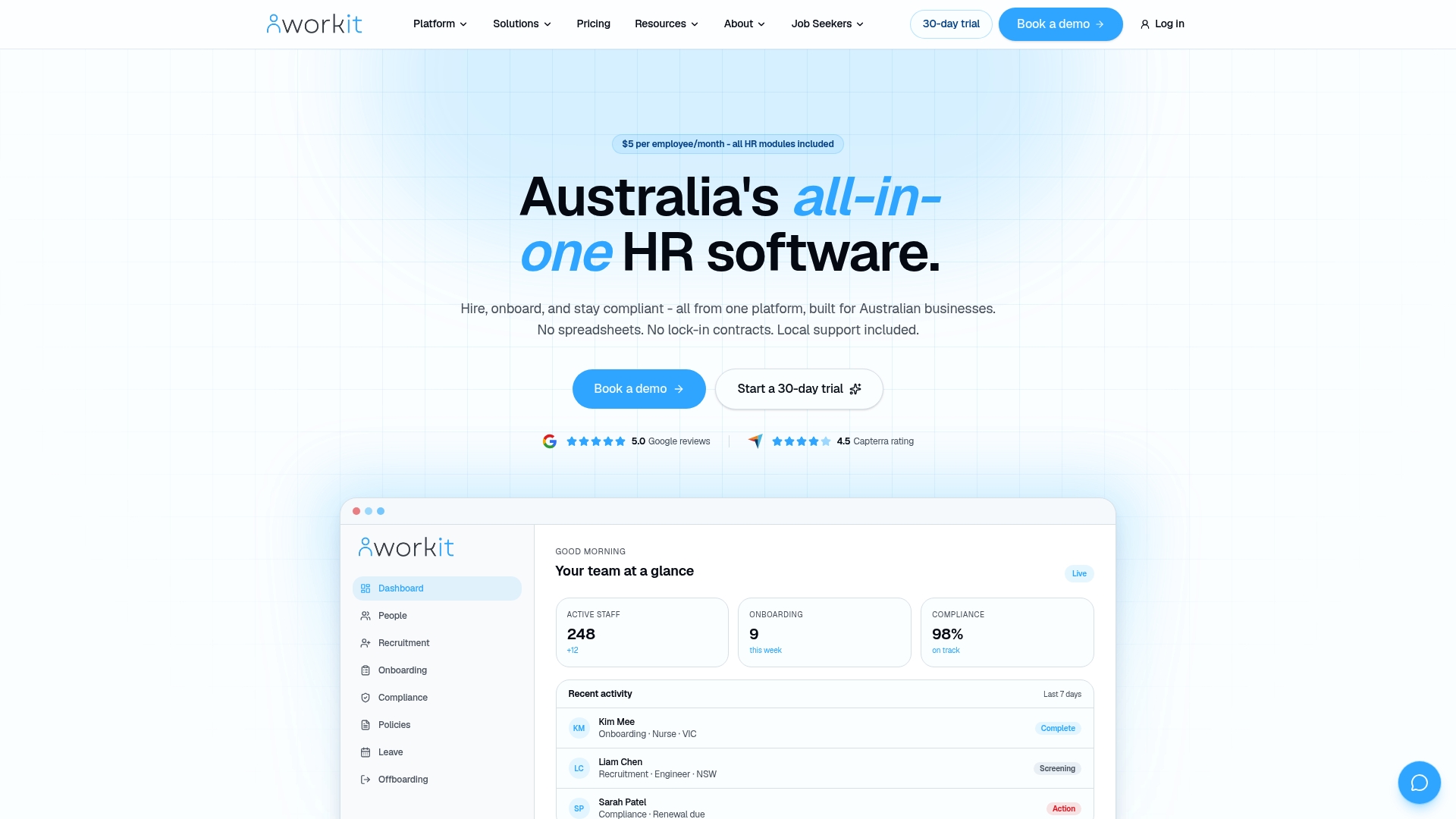
Book a demo and see how Workit handles your specific compliance obligations, with local support from a team that knows Australian workplace law.
Key takeaways
Australian HR compliance software must cover payroll, Fair Work, leave, WHS, superannuation, data privacy, audit readiness, and government integration to protect your business from fines, disputes, and reputational damage.
| Point | Details |
|---|---|
| Award rates updated annually | The Fair Work Commission’s 2026 Annual Wage Review increased award rates by 4.75%, making automated award updates non-optional. |
| Payday Super changes payroll | From 1 july 2026, superannuation must be paid on the same cycle as wages, requiring fully integrated payroll and super calculations. |
| Privacy Act exemptions are limited | The employee records exemption under the Privacy Act 1988 does not cover job applicants or contractors, who require full APP compliance. |
| Fines exceed $50,000 | Failing to meet Fair Work Act obligations can result in civil penalties exceeding $50,000, plus back-pay, legal costs, and reputational damage. |
| Gap analysis before purchase | Conducting a compliance gap analysis before selecting software ensures you address your specific risks rather than buying irrelevant features. |
FAQ
What are the key features of HR compliance software in Australia?
The key features are payroll compliance with automated award interpretation, Fair Work and NES tracking, leave and absence management, WHS incident reporting, superannuation compliance, data privacy controls, audit-ready reporting, and integration with government systems like the ATO.
What payroll features does compliant HR software need?
Compliant HR software must automate award rate calculations, handle Single Touch Payroll Phase 2 reporting, support Payday Super from july 2026, and validate each pay run against current Fair Work award conditions before processing.
How does HR software support Fair Work compliance?
HR software supports Fair Work compliance by tracking all 11 National Employment Standards, managing employment contract versions, alerting you to statutory deadlines such as the 21-day unfair dismissal window, and automatically applying updated award rates from Fair Work Commission decisions.
What are the main risks of not using compliant HR software?
The main risks include civil penalties exceeding $50,000 under the Fair Work Act, Superannuation Guarantee Charge liabilities, WHS prosecution exposure, public reputational damage from underpayment findings, and the ongoing cost of manual compliance errors.
Does the Privacy Act 1988 apply to all employee records in HR software?
The employee records exemption under the Privacy Act 1988 applies only to current or former employees’ data that is directly related to the employment relationship. Job applicants, contractors, and sensitive information collected before employment begins require full Australian Privacy Principles compliance.