

Launch an onboarding portal fast: 5 C’s and 30/60/90 for HR
Make your onboarding portal a personalised, role-based single source of truth, automated for compliance and phased for learning. Every task, document and check-in should live in one place, tied to the new hire’s actual role, not a generic template. Get that right and the feature checklist below almost writes itself.
TL;DR:
- A personalized onboarding portal should connect all tasks, documents, and training roles into one clear, role-based platform rather than relying on scattered systems.
- Integrating HRIS, payroll, LMS, and single sign-on systems reduces duplication, speeds onboarding, and minimizes manual data entry errors.
- Automating compliance forms, check-ins, and reminders ensures vital steps are completed on time, while structured 30-60-90 day plans promote lasting engagement.
- Early pilot testing with a cross-functional group and phased rollouts help identify issues before full implementation, avoiding common system fragmentation mistakes.
- Success metrics include faster time-to-productivity, higher retention, onboarding completion rates, and improved engagement scores over the first three months.
Table of Contents
- Onboarding portal best practices: the core feature checklist
- How do the 5 C’s shape onboarding best practices?
- Which integrations and automations matter most?
- What metrics actually show your portal is working?
- Rolling out an onboarding portal: preboarding to day 90
- What onboarding portal mistakes should you avoid?
- How an all-in-one platform puts these practices into action
- Author perspective: where HR leaders should focus first
- Ready to fix a fragmented onboarding process?
- Sources
- FAQ
Onboarding portal best practices: the core feature checklist
Before you audit your current system or brief a vendor, get clear on what a genuinely useful onboarding portal actually contains. Most fall short not because they lack features, but because they bolt features on without a clear structure.
A working portal needs; if you need external implementation help, check out Our Services — Social, SEO, Websites & Automations for expert support.
- A personalised dashboard with a welcome message, video or text, from the hiring manager or team lead.
- Digital document handling for contracts, tax forms, and bank details, with e-signatures and secure storage rather than email attachments.
- Role-based learning paths mapped to 30-60-90 day templates, so a warehouse hire and a finance hire see different content.
- Task checklists with automated reminders and clear owners across HR, the manager and IT.
- Integration endpoints into HRIS, payroll, learning management and single sign-on systems.
- Feedback channels and mentoring tools, including a culture hub with values, team bios and internal stories.
- Mobile access that works on a phone, since plenty of new hires complete forms before they’ve even been issued a laptop.
Here’s how those features map to what they actually solve:
| Feature | Problem it solves | Who benefits most |
|---|---|---|
| Personalised dashboard | Generic, one-size-fits-all first impression | New hire, hiring manager |
| Digital forms and e-signatures | Paper trails, lost documents, compliance gaps | HR, payroll |
| Role-based learning paths | Irrelevant training, slow ramp-up | New hire, team lead |
| Automated task reminders | Missed steps, dropped handoffs | HR, IT, manager |
| HRIS/payroll/LMS integration | Duplicate data entry, disconnected systems | HR, IT |
| Mobile access | Delays before laptop or desk access | New hire |
Top-performing portals consolidate HRIS functions, payroll and LMS into a single interface, and that consolidation is what separates a portal from a folder of PDFs. Every scattered login and duplicated form is friction the new hire has to absorb before they’ve done any actual work.
How do the 5 C’s shape onboarding best practices?
The 5 C’s of effective onboarding give you a practical structure to check your portal against, section by section, rather than treating onboarding as one big undifferentiated task.
- Compliance. Automate mandatory forms, superannuation details and induction sign-offs, with expiry reminders for licences or certifications and a clean audit log for every submission.
- Clarification. Build role-based checklists that spell out first-week tasks and set SMART goals for the first month, so the new hire knows exactly what “good” looks like.
- Culture. Use short onboarding videos, a recorded welcome from a leader, and bite-sized modules on company values instead of a 40-page handbook nobody reads.
- Connection. Assign a buddy on day one, schedule introductions to key colleagues, and set recurring one-on-ones for the first month.
- Checkback. Build 30/60/90 day check-ins directly into the portal, with pulse surveys and automated prompts that remind managers to actually have the conversation.
Many businesses still treat onboarding as paperwork and log-ins, but organisations that get onboarding right prioritise culture and connection as the drivers that keep people past month three. Compliance keeps you out of trouble. Culture and connection are what actually keep people.
Pro Tip: Set the checkback dates before day one, not after. A 30-day review scheduled in week one almost always happens; one scheduled reactively in week four often doesn’t.
Which integrations and automations matter most?
Prioritise integrations by the friction they remove, not by how impressive they sound in a sales pitch. For most HR teams, the order that pays off fastest is HRIS, payroll, then learning management, single sign-on and IT provisioning.
- HRIS sync stops HR from re-entering the same personal details three times across three systems.
- Payroll integration (Xero and similar platforms) means bank details and tax file numbers flow through once, correctly.
- LMS integration triggers role-specific training automatically once a new hire’s role is confirmed.
- Single sign-on removes the password-reset tickets that flood IT in week one.
- IT provisioning triggers fire off laptop and system access requests the moment a start date is confirmed, not the morning of.
Automation patterns worth building early include preboarding workflows that fire the moment a contract is signed, auto-reminders for outstanding forms, and compliance trackers that flag expiring certifications before they lapse. On security, keep it simple: role-based permissions, encrypted document storage, and automatic access expiry when someone leaves. Test each integration with a small pilot group before rolling it out company-wide. A staged pilot-to-expand approach catches broken data mappings before they hit fifty new hires at once instead of five.
What metrics actually show your portal is working?
Four numbers tell you almost everything: time-to-productivity, 90-day retention, onboarding completion rate, and new-hire engagement scores from a short pulse survey.
Organisations with strong onboarding see measurably higher engagement and faster ramp times, which is the entire business case for tightening your process in the first place.
Pull time-to-productivity from manager sign-off dates against role-specific milestones in the portal. Track completion rates directly from the portal’s task data, and layer a short pulse survey at 30, 60 and 90 days to catch disengagement before it shows up as a resignation.
- Set completion targets by role complexity, not a flat company-wide number.
- Review incomplete tasks weekly during the first quarter after launch, not just at review time.
- Use low pulse-survey scores as a trigger to revisit specific content, not the whole program.
Rolling out an onboarding portal: preboarding to day 90
A phased rollout limits disruption and gives you real feedback before you’re locked into a broken workflow.
Pre-launch:
- Align stakeholders across HR, IT, payroll and team leads on scope and ownership.
- Audit existing content and cut anything outdated or duplicated.
- Map every integration point before you touch a single form.
- Pilot with a small cross-functional group, including junior hires and managers, before a full rollout.
Preboarding: automate contract signing, tax and super forms, IT provisioning requests, and a welcome pack sent the moment a start date is confirmed.
Day one: a clear schedule, a manager and buddy introduction, and access to every system the new hire actually needs, not access requests still sitting in an IT queue.
30-60-90: a structured plan across learn, contribute and own phases, with review dates scheduled in advance rather than pencilled in loosely.
Post-launch checklist:
- Run a short feedback survey after each cohort completes onboarding.
- Review portal analytics monthly, not just at the annual review.
- Assign a named content owner for every module, so nothing goes stale unnoticed.
What onboarding portal mistakes should you avoid?
The same handful of mistakes account for most underperforming portals.
- Information overload. Dumping every policy and form on day one overwhelms new hires; phase content and use microlearning instead.
- Fragmented systems. A separate login for HRIS, payroll and learning creates friction at every step; consolidate or integrate tightly.
- Owner-less content. Modules with no assigned owner go stale and nobody notices until a new hire flags it.
- Skipping user testing. Launching without testing means you find the broken links after fifty people hit them, not before.
Pro Tip: Pilot with junior hires and their managers together, not separately. Usability testing with a cross-functional group catches permission and navigation problems that developer QA usually misses entirely.
How an all-in-one platform puts these practices into action
The theory above only matters if the systems behind it talk to each other. A portal that centralises HRIS, compliance tracking and reporting in one place gives HR a single source of truth instead of five browser tabs and a shared spreadsheet nobody trusts.
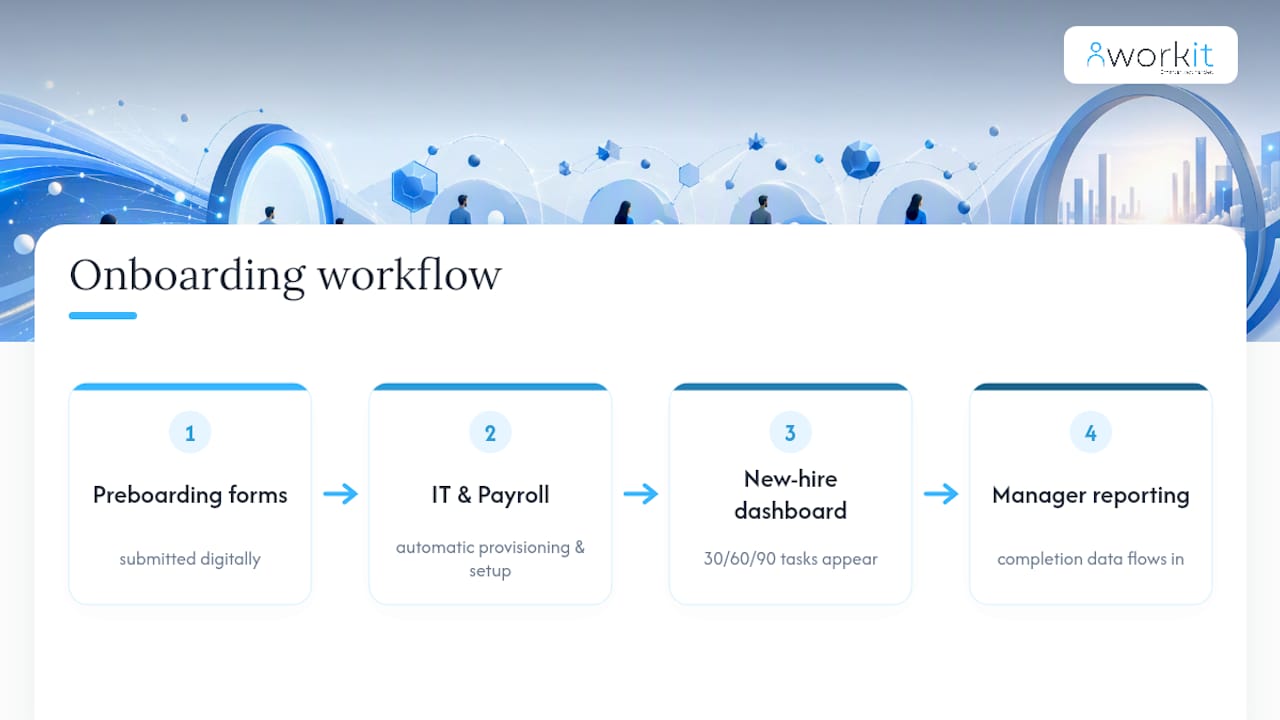
A practical example: preboarding forms get submitted digitally, which triggers IT provisioning and payroll setup automatically. That same workflow then feeds 30/60/90 day tasks straight into the new hire’s dashboard, with completion data flowing into a manager’s reporting view without anyone re-entering a thing.
Local support matters here too. When an integration breaks or a compliance rule changes, having a team that understands Australian employment obligations, on the phone rather than in a different time zone, is the difference between a fixed issue and a stalled onboarding cohort.
Author perspective: where HR leaders should focus first
Pick one role, integrate its systems properly, and pilot there before scaling. Measure time-to-productivity early and adjust content based on what you find. Technology should make managers more accountable to new hires, not less.
— Stephen
Ready to fix a fragmented onboarding process?
If your onboarding runs across a shared drive, three logins and a spreadsheet someone updates manually, you already know where the friction is coming from. Our platform brings HRIS, compliance tracking, onboarding checklists and payroll integration (including Xero) into one solution, with transparent pricing that includes all modules and no separate onboarding add-on to negotiate later.
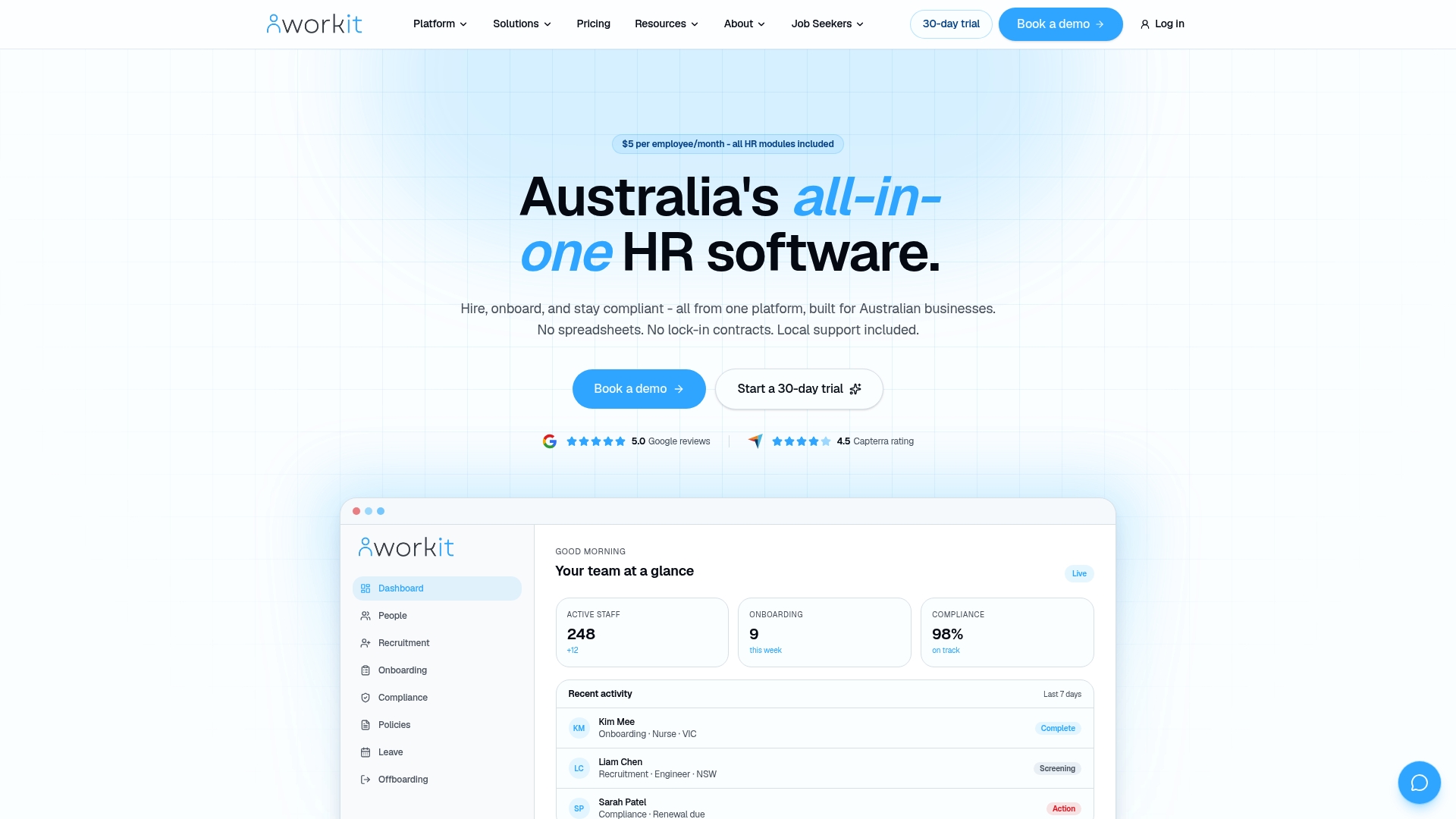
Setting up role-based 30-60-90 templates, automated compliance reminders and preboarding workflows is exactly the kind of consolidation covered in this article, and it’s what Workit’s onboarding software is built around. Local support means when something needs fixing, you’re talking to someone familiar with local employment obligations. If you’re weighing up your options, the buyer guide to onboarding software best practices is a useful next stop, or you can go straight to a live demo to see the portal running with your own use case in mind.
Sources
- Effective onboarding (Hays Australia)
- Employee onboarding portal (Webisoft)
- 30-60-90 day plan (FirstHR)
- Onboarding process (Coursera)
FAQ
What are the 5 C’s of effective onboarding?
The 5 C’s are Compliance, Clarification, Culture, Connection and Checkback, a framework that treats onboarding as an ongoing lifecycle rather than a single paperwork event, as outlined by Hays Australia.
What is the 30-60-90 day onboarding rule?
It’s a plan that splits the first three months into three phases: learning the role in days 1 to 30, contributing independently in days 31 to 60, and owning outcomes in days 61 to 90, with scheduled reviews at each milestone.
What are the 5 pillars of onboarding?
Most frameworks describing “pillars” of onboarding overlap closely with the 5 C’s: compliance, role clarity, culture, connection with colleagues, and structured check-ins, rather than a separate, distinct model.
What are the stages of the onboarding process?
Typical stages run preboarding, day one, the first week, and the 30-60-90 day period, each with its own tasks and check-ins built into the portal rather than handled ad hoc.
Can an onboarding portal actually improve retention?
Yes. Businesses with strong onboarding report better engagement and retention outcomes, and consolidating systems into one portal, the approach Workit takes with its HRIS, removes much of the friction that causes early disengagement.