

Policy register Australia: your guide to compliant tracking
A policy register is the single source of truth for an organisation’s policies. It lists every active document, who owns it, and when it’s due for review. If you’re a public-sector official searching for one right now, three sources matter most: the Federal Register of Legislation for the primary legal instruments behind most policy, the Australian Privacy Principles for privacy-related obligations, and your own agency’s governance or compliance software (Workit included) for the day-to-day tracking layer.
Your immediate next step depends on where you sit:
- Looking for a government register? Start with legislation.gov.au and your department’s published policy pages.
- Building or auditing your own agency’s register? Ask your governance or compliance team whether one already exists on the intranet before creating a duplicate.
- Can’t find one at all? That’s your signal to raise it. A missing register is a governance gap, not a minor admin oversight.
Key Takeaways
A policy register works only when it pairs consistent metadata (owner, status, review date) with active governance, not when it’s treated as a static document list.
| Point | Details |
|---|---|
| Check primary sources first | Search legislation.gov.au and the OAIC before assuming your agency needs a new register built from scratch. |
| Standardise core metadata | Every entry needs title, owner, status, approval date, review date, and related legislation. |
| Assign role-based ownership | Tie accountability to a position, not a person, so it survives staff turnover. |
| Prepare audit evidence early | Keep approval memos, consultation summaries, and version history linked to each policy, not just dated. |
| Automate the tracking layer | Platforms like Workit handle version control, review reminders, and reporting so the register stays current without manual chasing. |
Table of Contents
- What to include in your organisation’s policy register
- Governance: ownership, review cycles and how to be audit-ready
- Privacy and Digital ID: obligations that affect registers and access control
- A step-by-step checklist to build or improve your register
- How registers link to legislation and regulatory instruments
- Best practices for maintaining and updating a policy register
- Common software tools and templates for managing policy registers
- Tailoring a register for public vs private sector organisations
- Examples of policy registers from Australian organisations
- How Workit keeps your policy register audit-ready
- Sources
- FAQ
What to include in your organisation’s policy register
A register that only lists document titles isn’t a register, it’s a filing cabinet. To be genuinely useful for compliance and audit purposes, each entry needs a consistent set of fields. Practitioners who work on policy design regularly note that a register should index instruments by status, draft, active, or archived, not just by name, or it risks becoming a dead-letter office nobody trusts.
At minimum, your register needs:
- Title and unique identifier for the policy document
- Owner (the accountable role, not just a person’s name, so it survives staff turnover)
- Status (draft, active, under review, archived)
- Approval date and next review date
- Related legislation or regulatory instrument it derives from
- Version number and change history
- Storage location and distribution list (who has access, and where the current version lives)
- Privacy or classification flags if the policy handles personal or sensitive information
- Links to supporting procedures, forms, or templates
Each policy should also map back to a higher-level framework. The Commonwealth Procurement Rules are a good example of a framework-level document that individual agency policies sit underneath. Your register should show that lineage clearly.
Pro Tip: Use a consistent metadata schema across every entry, even for small policies. Without it, you can’t run automated reports like “which policies are overdue for review” or “which policies reference this Act” — you’ll be searching manually every time.
Governance: ownership, review cycles and how to be audit-ready
A register with no owner is a register that goes stale within a year. Every policy needs a single accountable owner and a named approver, and both roles need to survive a staff departure without the policy quietly falling off everyone’s radar.
Here’s a practical governance sequence:
- Assign ownership at the role level, not the individual, so accountability transfers automatically with a job change.
- Set a fixed review cycle (annually for most policies, more frequently for high-risk or fast-changing areas like WHS or privacy).
- Define an escalation path for when a policy needs urgent revision because it’s causing unintended behaviour or non-compliance.
- Prepare audit evidence in advance: approval memos, consultation summaries, and version history entries, not just a date stamp.
Auditors don’t accept “we reviewed it” as evidence. They expect a trail: who approved it, what consultation happened, and what changed between versions. Preparation matters here because the Impact Analysis Framework requires formal assessment when a policy meaningfully changes behaviour or imposes new obligations. If your register doesn’t flag which policies triggered an impact analysis, you’ll be scrambling to reconstruct that history when an audit lands.
Run a quick health check quarterly: pull every policy with a review date in the past, every policy missing an owner, and every policy that’s changed staff behaviour since its last review. That short list is usually where your real audit risk sits.
Privacy and Digital ID: obligations that affect registers and access control
Any policy register that stores or references personal information falls under the 13 Australian Privacy Principles and should be designed in line with robust data protection practices to ensure privacy and security. Three matter most for register design: open and transparent management (your privacy policy itself needs to be current and accessible), security (who can access or edit register entries), and access and correction (individuals can request to see and fix their own information referenced in policy documentation).
Cross-border disclosure rules also apply if your register or its hosting platform stores data offshore, and government-related identifiers carry their own handling restrictions under the APPs.
A significant shift is coming for how staff verify their identity to access secure systems. The Digital ID Act 2024 establishes the Australian Government Digital ID System, and private sector entities may join AGDIS from late 2026, changing how organisations verify identities for access to secure registers.
Practical steps now:
- Audit who has edit access to your register versus read-only access.
- Confirm your privacy policy is current and matches what the register actually does with personal data.
- Start planning for automated or “tell-us-once” verification flows as AGDIS participation expands, since manual access controls won’t scale well against that shift.
A step-by-step checklist to build or improve your register
- Audit existing policies. Find every document currently in circulation, including the ones nobody remembers approving.
- Standardise metadata. Apply the same fields (owner, status, review date) to every entry.
- Assign owners at the role level, not the person.
- Set review schedules and automate reminders so nothing lapses silently.
- Publish and train so staff know where the register lives and how to use it.
Each of these steps is exactly where manual spreadsheets tend to fail. Workit’s policy management tools handle version control, review reminders, and distribution tracking in one place, so step four doesn’t rely on someone remembering to check a calendar.
Pro Tip: Run the audit step before you touch software or templates. A clean list of what actually exists is worth more than a fancy system full of outdated policies.
How registers link to legislation and regulatory instruments
A policy register isn’t just an internal document list, it’s a bridge between your organisation’s operational rules and the legal instruments underneath them. When a policy exists because of a legislative requirement (workplace health and safety obligations, record-keeping duties, or privacy handling rules), the register entry should cite the specific Act or instrument, not just describe it in general terms.
This matters practically for two reasons. First, legislation changes. The Federal Register of Legislation is updated regularly, and a policy citing an outdated version of an Act is a compliance risk waiting to surface during an audit. Second, when policies drift out of sync with the legislation they’re meant to implement, staff end up following internal guidance that no longer matches the legal requirement, which is a worse outcome than having no policy at all.
Practically, this means every register entry referencing legislation should include a direct link or citation to the specific Act, section, or legislative instrument on legislation.gov.au, plus a note of the version or date checked. When the instrument is updated, that’s your trigger to review the linked policy, not the other way around. Some agencies build this as a two-way check: an annual sweep of legislative updates cross-referenced against the register, flagging any policy that cites an instrument recently amended. It’s a small process addition, but it closes one of the most common gaps auditors find, policies that technically exist but no longer reflect current law.
Best practices for maintaining and updating a policy register
The biggest failure mode for a policy register isn’t a bad initial build. It’s neglect after launch. A register that isn’t actively maintained becomes worse than no register at all, because staff start trusting information that’s quietly gone stale.
A few habits keep a register genuinely useful over time. Set calendar-driven review triggers rather than relying on someone remembering, because memory-based systems fail the moment staff turnover happens. Treat every policy update as a version event, not an overwrite, so you retain a clear history of what changed and when. Assign a single person or team responsibility for the register’s overall health, separate from individual policy owners, so someone is accountable for the system itself, not just its contents.

It also helps to build a lightweight approval workflow into the update process itself, so a policy can’t move from draft to active without the accountable role signing off. This avoids the common scenario where a well-meaning staff member updates a document and republishes it without the review it actually needed.
Finally, communicate changes. A policy update that nobody hears about might as well not have happened. Even a simple notification to affected teams when a policy status changes keeps the register from becoming a document repository that only governance staff ever open.
Common software tools and templates for managing policy registers
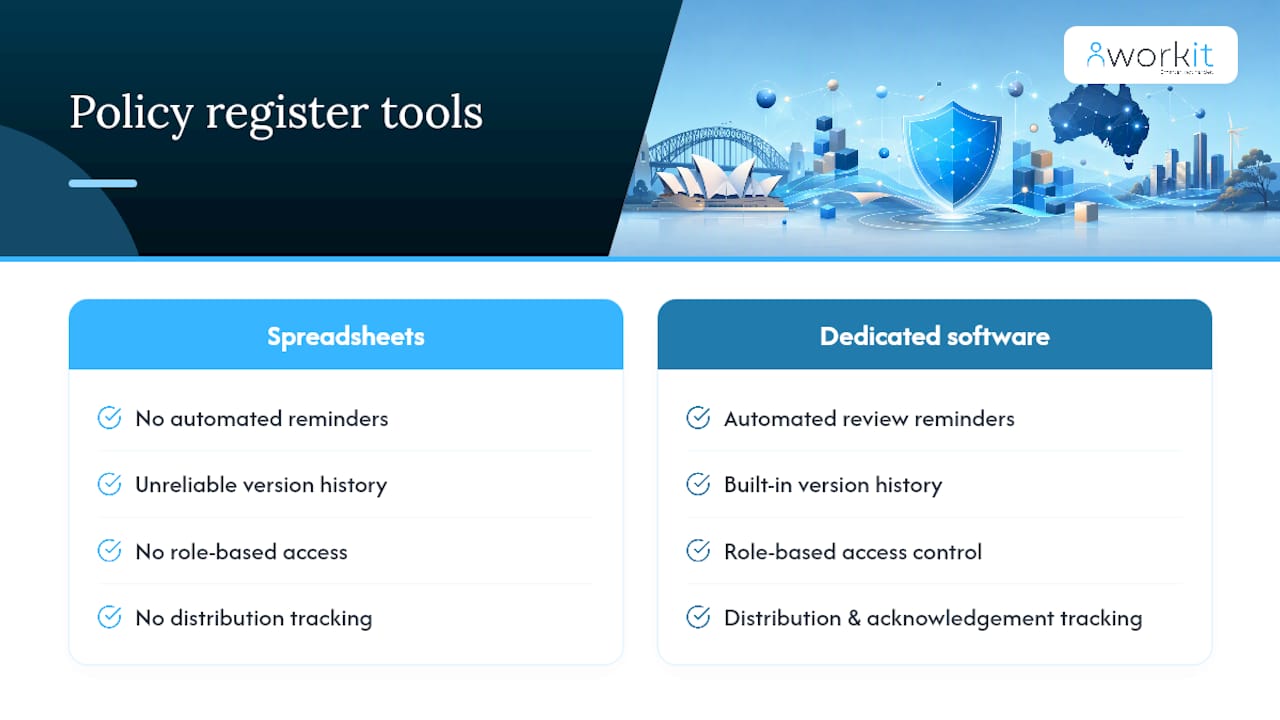
Most organisations start with a spreadsheet, and for a handful of policies, that can work for a while. The problem shows up at scale: spreadsheets don’t send review reminders, don’t track version history reliably, and don’t restrict access by role. They also tend to live on one person’s desktop, which creates a single point of failure the moment that person leaves.
Purpose-built policy management platforms solve the tracking gaps directly. They typically include automated review reminders, role-based access control, built-in version history, and distribution tracking so you can prove who has read and acknowledged a policy, not just that it was published. For public-sector teams juggling dozens or hundreds of active policies across departments, this reporting layer is usually the difference between a register that supports an audit and one that creates more work during one.
Templates are a reasonable starting point if you’re building a register from scratch. A basic spreadsheet template with the core fields, title, owner, status, dates, related legislation, works for early-stage setup, and several university and government policy resources publish examples publicly. But templates don’t scale past a certain point, and most agencies eventually migrate to dedicated software once the manual updating becomes unmanageable. Workit’s compliance management tools are built specifically for this shift, with real-time reporting so governance teams can see review status across every policy at a glance.
Tailoring a register for public vs private sector organisations
Public-sector registers carry obligations private organisations don’t. Government policies often trace directly back to legislation, meaning every entry needs a clear regulatory citation and, in many cases, evidence of formal consultation or impact analysis under the Impact Analysis Framework. Public bodies also face higher transparency expectations, some policies must be publicly accessible, not just internally distributed, which changes how the register handles publication status.
Private sector registers, by contrast, are usually driven more by operational risk and employment law than by legislative mandate. A private company’s policy register still needs owners, review cycles, and version control, but the emphasis shifts toward workplace policies, WHS obligations, and industry-specific regulatory requirements rather than whole-of-government frameworks. Not-for-profits sit somewhere in between, often needing the transparency rigour of the public sector without the same legislative volume.
The practical takeaway: don’t copy a template wholesale from one sector to another. A university policy library and a small business’s policy set will share the core fields, owner, status, review date, but the classification rules, publication requirements, and consultation evidence will differ significantly depending on which sector you’re in.
Examples of policy registers from Australian organisations
Universities offer some of the most accessible public examples of a well-structured policy register. Institutions like the University of Southern Queensland publish searchable policy libraries with clear status indicators, showing exactly how a register should distinguish between current, under-review, and superseded documents. These are worth reviewing directly if you’re designing your own structure, because they’re built for exactly the audit-readiness standard public-sector officials need.
Federal and state departments typically publish policy and procedure pages rather than a single consolidated register, which reflects the reality that government policy spans multiple portfolios and levels of authority. Larger departments often maintain internal registers on their intranets that aren’t publicly visible, distinct from the public-facing policy documents you’d find on their websites. This split, internal operational register versus public policy statements, is normal and worth expecting when you’re benchmarking your own agency’s setup against comparable organisations.
Stephen’s perspective: what actually breaks a policy register
The registers that fail aren’t the ones without a template. They’re the ones where ownership was never actually assigned to a role, so the moment that staff member moved on, nobody noticed the review date had passed. Fix accountability first, before you fix formatting. If you want a structured way to do that, Workit’s best practices checklist is worth a look, or book a demo and we’ll walk through it with you.
— Stephen
How Workit keeps your policy register audit-ready
Workit is built for exactly the checklist above. It replaces the spreadsheet-and-shared-drive approach with one platform where policy distribution, version control, review reminders, and acknowledgement tracking all live together, so you can see at a glance which policies are current, overdue, or awaiting sign-off.
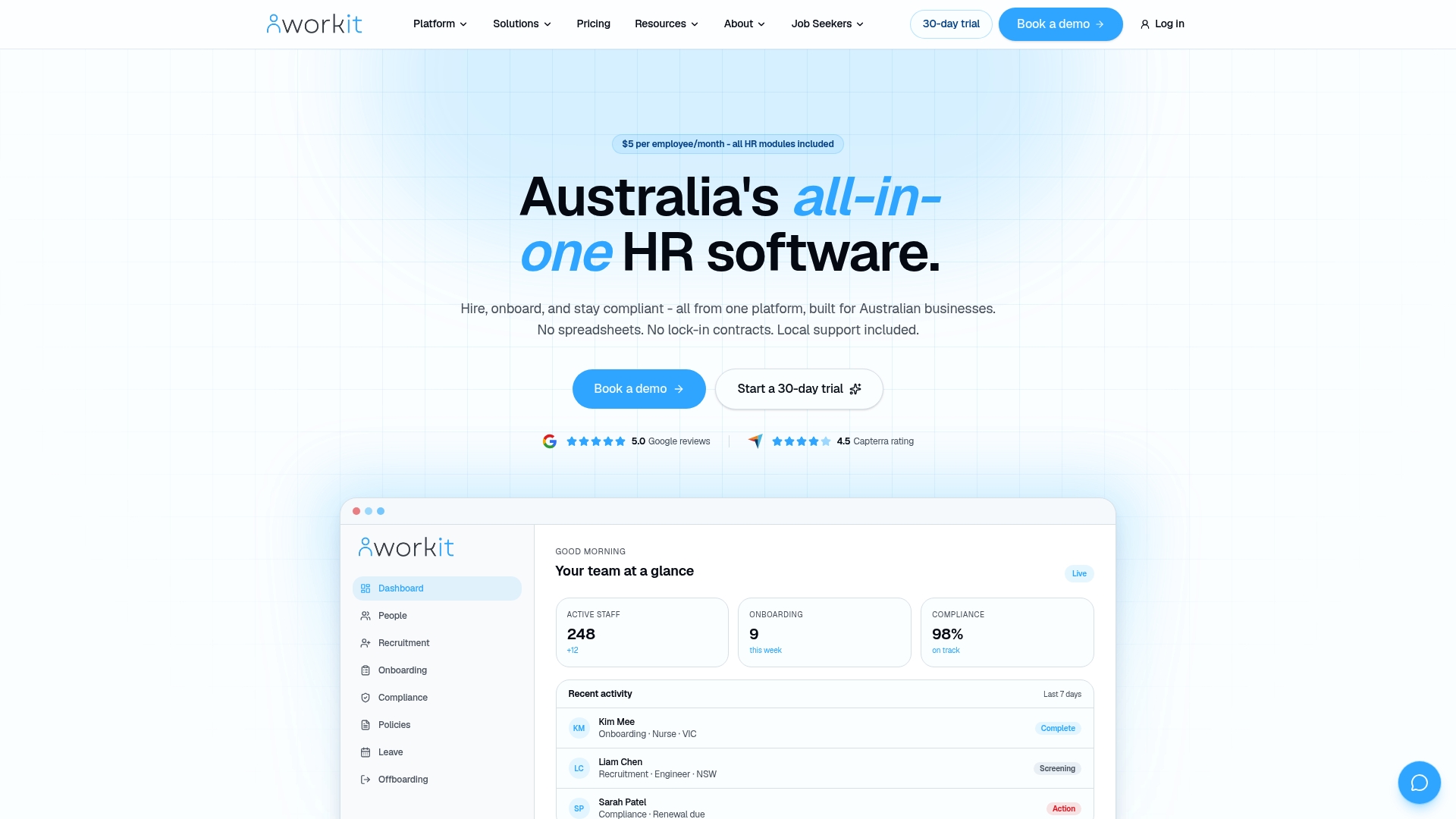
Every module is included in Workit’s transparent pricing of $5 per employee per month, no add-on fees for the compliance or reporting features you actually need. Real-time reporting means your governance team doesn’t have to manually chase review dates across departments, and local Australian support means you’re talking to someone who understands the compliance environment you’re working in, not an offshore call centre reading from a script.
If your register currently lives in a spreadsheet nobody trusts, that’s the exact gap Workit’s compliance management tools close. Book a demo to see how policy tracking, version history, and audit reporting work together in one place.
Sources
Most public-sector officials waste time searching in the wrong place. Government policy doesn’t live in one central spot. It’s spread across legislative databases, agency websites, and internal intranets, and each serves a different purpose.
- Australian Privacy Principles | OAIC
- Legislation
- Australian Government Impact Analysis Framework | Office of Impact Analysis
- Digitalidsystem
If none of these turn anything up, that’s not a dead end. It means your organisation likely needs one built, which is exactly what the next sections cover.
FAQ
What are the 13 Australian Privacy Principles?
The 13 APPs set out how organisations must handle personal information, covering areas including open and transparent management, security safeguards, and an individual’s right to access and correct their own data.
What is an example of a policy framework?
The Commonwealth Procurement Rules are a framework-level example, sitting above individual agency policies and setting mandatory rules that those policies must align with, as published by the Department of Finance.
Is Australia pushing for Digital ID?
Yes. The Digital ID Act 2024 established the Australian Government Digital ID System (AGDIS), with private sector participation expected to expand from late 2026, changing how organisations verify access to secure systems.
Is there an Australian law database available?
Yes, the Federal Register of Legislation at legislation.gov.au is the official, free database for Commonwealth Acts and legislative instruments.
How do I know if my organisation needs a formal policy register?
If you’re managing more than a handful of policies across different teams, or if any policy references legislation or handles personal information, a structured register with clear ownership and review dates is essential for audit-readiness. Tools like Workit’s policy management module make this practical without a manual spreadsheet.