

Learning path LMS: implementation guide for Australian L&D
A learning path in an LMS is a sequenced, outcome-driven curriculum that turns scattered courses into a measurable progression — start by mapping the job outcome you want, then pilot a short learning path with a small cohort before rolling out organisation-wide.
Your immediate next steps:
- Define the job outcome or competency the path must produce.
- Choose a pilot cohort of 10–20 learners who represent your target audience.
- Build a minimum viable path (4–6 modules, one assessment, one checkpoint).
- Measure completion and pass rates after the pilot, then iterate.
Every effective learning path contains these elements:
- Sequenced modules with clear prerequisites between them
- At least one formative assessment or knowledge check per stage
- A summative assessment or practical task at the end
- A certificate or badge on successful completion
- Defined enrolment rules (role, team, or trigger-based)
Key takeaways
A well-governed learning path in an LMS connects a defined job outcome to sequenced content, automated enrolment, and path-level reporting — and that combination is what separates measurable training from a course catalogue.
| Point | Details |
|---|---|
| Start with a pilot | Build a 4–6 module path, test with 10–20 learners, and iterate before full rollout. |
| Governance is non-negotiable | Assign a named owner, set a review cadence, and use standard naming conventions from day one. |
| Measure beyond completion | Track assessment pass rates, time to competency, and at least one business KPI alongside completion %. |
| Connect paths to career frameworks | Link modules to role expectations and succession plans to lift engagement and retention. |
| Workit unifies LMS and HR data | Workit’s Learning Management module connects paths to live HRIS data, automating enrolment and keeping compliance records audit-ready. |
Table of Contents
- Why do learning paths matter for Australian L&D teams?
- What types of learning paths suit different business goals?
- What LMS features do you need to build effective learning paths?
- How do you design and build a learning path in your LMS?
- How do you govern and scale learning paths across your organisation?
- How do you measure whether a learning path is working?
- What does a typical implementation timeline and budget look like?
- Three ready-to-use learning path templates
- What I have learned from implementing learning paths in Australian organisations
- How Workit supports learning paths for Australian teams
- Sources
- FAQ
Why do learning paths matter for Australian L&D teams?
Structured learning paths improve completion rates compared with standalone course libraries because they give learners a clear progression rather than a catalogue to browse. When the next step is obvious and the goal is visible, learners finish. That is the core mechanic.
Randstad’s Workmonitor research shows that Australian workers place significant weight on development opportunities when deciding whether to accept or stay in a role. For L&D teams, that means learning paths are not just a training tool — they are a retention lever. Designing them as career roadmaps rather than task checklists connects individual modules to future role expectations, which lifts both engagement and retention.
The compliance angle matters too. In regulated Australian industries — healthcare, financial services, construction, aged care — path-level reporting gives auditors a clean record of who completed what, in what order, and when. That is far harder to produce from a flat course catalogue.
Key benefits at a glance:
- Higher completion rates through guided sequencing
- Clearer career progression visibility for employees and managers
- Audit-ready records for compliance-heavy industries
- Reduced admin through automated enrolment and reminders
What types of learning paths suit different business goals?
LMS platforms differ on automation depth, skills management and adaptive learning, which means the path type you choose should match both your business goal and your platform’s capability. Here are the most common types used in Australian workplaces:
- Onboarding paths: Best for new starters, including seasonal retail staff or large intake cohorts. Success measure: time to productivity and 90-day retention. Keep these linear and short — five to seven modules covering culture, systems, compliance, and role fundamentals.
- Compliance refresh paths: Annual or biennial recertification for regulated roles (e.g., WHS, privacy, financial advice obligations). Success measure: 100% completion before the due date. These are almost always linear with mandatory pass thresholds.
- Role-based upskilling paths: Targeted at employees moving into a new function or taking on expanded responsibilities. Success measure: pre/post assessment score improvement and manager sign-off.
- Leadership development paths: Longer, blended paths combining e-learning, practical activities, and coaching check-ins. Useful for succession pipelines. A partner resource on building leadership development curricula outlines how to sequence theory, application, and reflection across a multi-week programme.
- Customer and partner education paths: Onboarding external users to a product or process. Success measure: certification completion and support ticket reduction.
- Reskilling paths: For workforce transition programmes — common in Australian organisations responding to automation or restructuring. These often require branching to accommodate varied baseline skills.
Linear vs. branching: Start linear. Add branching only once you have completion data showing where learners stall. A branching path that routes low scorers to a remedial module is worth building — but only after you know which module is the problem.
This creates an automatic audit trail without any manual follow-up.*
What LMS features do you need to build effective learning paths?
Not every LMS handles learning paths equally. Platform capability differences determine whether you can build a simple linear sequence or a fully adaptive, role-triggered path. Use this checklist when evaluating or configuring your platform.
Design and content
- Prerequisite enforcement: The LMS must lock modules until prior steps are complete — not just recommend an order.
- Branching logic: Ability to route learners to different modules based on assessment scores or role attributes.
- Mixed content support: SCORM, xAPI, video, PDF, quizzes, and practical task sign-offs in a single path.
- Test-out or exemption options: Experienced hires should be able to demonstrate prior knowledge and skip modules they have already mastered.
Automation and enrolment
- Role-based auto-enrolment: Assign paths automatically when a learner is added to a role, team, or location.
- Path-level reminders and escalations: Automated nudges to learners and managers when deadlines approach or are missed.
- Recertification workflows: Auto-re-enrol learners when a certification expires, without manual intervention.
Reporting and compliance
- Path-level dashboards: Completion %, average time, assessment pass rates, and overdue counts at the path level — not just per course.
- Individual audit trails: Timestamped records of every module attempt, score, and completion for each learner.
- Configurable due dates: Set absolute dates (e.g., 30 June for annual compliance) or relative dates (e.g., 30 days from hire date).
Integrations and standards
- HRIS integration: Sync employee data so enrolment rules stay current when people change roles or teams.
- Payroll integration (e.g., Xero): Useful for Australian businesses linking training completion to pay grades or allowances.
- SCORM/xAPI support: Ensures content from third-party authors loads and tracks correctly.
- API access: Allows connection to performance management or succession planning tools.
User experience
- Learner-facing progress indicators: A visible path map showing completed, current, and upcoming steps.
- Mobile-responsive design: Critical for deskless workers in retail, construction, and healthcare.
- Certificate and badge issuance: Automatic on path completion, downloadable and shareable.
How do you design and build a learning path in your LMS?
The repeatable process is: define outcome → map competencies → sequence content → set rules → pilot → measure → iterate. Here is how that works in practice, drawing on vendor-agnostic build guidance.
-
Define the outcome and success metrics. Write one sentence: “After completing this path, a learner will be able to [do X] at [standard Y], measured by [Z].” Attach a business KPI where possible (e.g., reduced onboarding errors, passed compliance audit).
-
Map backward from the outcome. List every competency or knowledge area the learner needs. Group them into logical stages — typically three to five for a short path.
-
Select content and assessments for each stage. Match existing content to each competency. Identify gaps that need new content. Assign at least one knowledge check per stage and a summative assessment at the end.
-
Set prerequisites and branching rules. Decide which modules must be completed before the next unlocks. Add a remedial branch for learners who score below your pass threshold on a key assessment.
-
Configure enrolment and automation. Set the trigger (role, hire date, manual enrolment) and configure reminders at 7 days before due, on the due date, and for overdue escalation to the manager.
-
Attach certification. Configure the certificate to issue automatically on path completion. Set an expiry date if recertification is required.
-
Run a pilot. Use a cohort of 10–20 learners. Collect completion data, assessment scores, and qualitative feedback after two weeks.
-
Measure and iterate. Review pass rates, drop-off points, and time-on-task. Adjust content, sequencing, or reminders before full rollout.
Pro Tip: Build personalised development into your path from the start by adding a short pre-assessment that routes learners to the right entry point. This avoids frustrating experienced hires with content they already know and keeps engagement high across mixed-experience cohorts.
Pilot plan template:
- Cohort size: 10–20 learners (mix of experience levels)
- Duration: 2–3 weeks
- Success criteria: 80%+ completion rate, 75%+ average assessment pass score
- Feedback loops: mid-point check-in survey, end-of-path satisfaction rating, manager debrief
How do you govern and scale learning paths across your organisation?
A path that works for 20 learners in a pilot can become a maintenance burden at 500 if you have not built governance in from the start.
Governance checklist:
- Assign a named owner to every path (the person responsible for content accuracy and review scheduling).
- Use a standard naming convention: [Business Unit] [Path Type] [Version] — e.g., “Retail Onboarding Compliance v2.”
- Set a review cadence: annually for compliance paths, every 18–24 months for role-based paths, and on-trigger for regulatory changes.
- Store version history in the LMS or a linked document so you can demonstrate what version a learner completed and when.
- Tag paths with metadata (role, business unit, skill category) to make them searchable and reportable.
Scaling tips:
- Use role and team tags to drive automated enrolment. When HR adds a new starter to a role in your HRIS, the LMS enrols them in the correct path automatically.
- Create delegated admin roles so business unit managers can monitor completion in their team without accessing the full LMS admin panel.
- Use cohort-based assignment for large intake events (e.g., seasonal retail hiring) to batch-enrol and batch-report.
- Build a path catalogue with clear descriptions so managers can self-serve enrolments for ad hoc development needs.
Data retention and audit readiness in Australia:
Under Australian workplace health and safety legislation and industry-specific regulations (financial services, aged care, construction), you may need to retain training records for several years after an employee leaves. Confirm your LMS stores completion records for departed employees and that those records are exportable for audit purposes. Connect your LMS to your HRIS so offboarding does not delete training history.

How do you measure whether a learning path is working?
Completion rate alone tells you almost nothing about whether the path achieved its goal. Build a path-level dashboard that tracks these metrics:
Key metrics:
- Completion rate: % of enrolled learners who finished the full path (target: 80%+ for mandatory paths).
- Time to competency: Average days from enrolment to path completion — compare against your target duration.
- Assessment pass rate: % passing the summative assessment on first attempt; low rates signal a content or sequencing problem.
- Drop-off points: Which module has the highest abandonment rate? That is where to focus redesign effort.
- Learner satisfaction score: A simple 1–5 rating at path completion; flag paths scoring below 3.5 for review.
- Behavioural change indicators: Post-training performance metrics from your HR or operations system (e.g., error rates, audit scores, sales conversion).
Path-level dashboard fields:
| Field | What it tells you |
|---|---|
| Cohort name and size | Who is enrolled and how many |
| Completion % | Overall progress against target |
| Average time to complete | Whether the path duration is realistic |
| Assessment pass rate (first attempt) | Content effectiveness |
| Module drop-off rate | Where learners stall |
| Learner satisfaction score | Perceived relevance and quality |
| Overdue count | Compliance risk exposure |
Triangulate learning metrics with business KPIs by connecting your LMS data to your HR system.
What does a typical implementation timeline and budget look like?
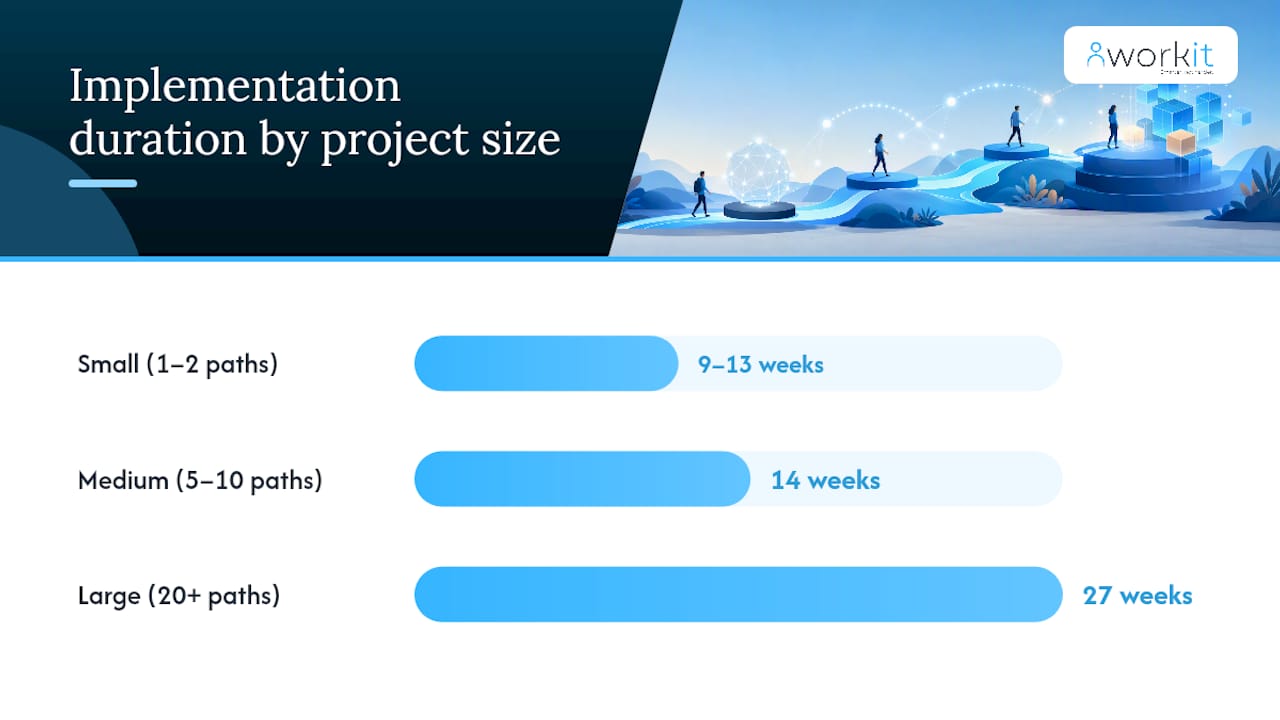
Timeline and cost vary significantly by project scope. Here is a realistic guide for Australian organisations:
| Phase | Small project (1–2 paths) | Medium project (5–10 paths) | Large project (20+ paths) |
|---|---|---|---|
| Discovery and scoping | 1–2 weeks | 2–3 weeks | 4–6 weeks |
| Content design and authoring | 2–4 weeks | 4–8 weeks | 8 weeks |
| LMS configuration | 1 week | 2–3 weeks | 4–6 weeks |
| Pilot | 2 weeks | 2–3 weeks | 3–4 weeks |
| Full rollout | 1 week | 2–4 weeks | 4–8 weeks |
| Post-launch review | 2 weeks | 2–4 weeks | 4–6 weeks |
| Total | 9–13 weeks | 14 weeks | 27 weeks |
Common cost drivers:
- Content authoring (the largest variable — external production costs more than internal SME-led content)
- Third-party compliance content licences (e.g., WHS, privacy, financial services modules from Australian content providers)
- LMS configuration and integration work (especially HRIS and payroll connections)
- Per-seat licence fees
- Implementation services from the LMS vendor
Practical levers to reduce cost:
- Reuse existing content (slide decks, induction videos, policy documents) before commissioning new material.
- Phase the rollout — launch the highest-priority path first and fund subsequent paths from demonstrated ROI.
- Use internal subject matter experts for content review rather than external consultants.
- Choose an LMS with transparent, all-inclusive pricing (no per-module or per-feature add-ons) to avoid cost blowouts.
For onboarding paths, Australian businesses typically see the fastest ROI because reduced time-to-productivity is measurable within the first 90 days.
Three ready-to-use learning path templates
Template 1: New starter onboarding path
Goal: Bring a new employee to full role readiness within 30 days. Target audience: All new hires, any role. Expected duration: 3–4 hours of learning across 30 days.
- Welcome and culture overview (video + quiz, 20 min)
- Workplace health and safety induction (SCORM module, 30 min) — prerequisite for all subsequent modules
- Systems and tools orientation (interactive walkthrough, 45 min)
- Role-specific responsibilities (SME-authored module, 30 min)
- Compliance obligations relevant to role (e.g., privacy, EEO) (30 min)
- 30-day check-in task: complete a self-assessment and submit to manager for sign-off
Template 2: Annual compliance refresh path
Goal: Recertify all staff in mandatory compliance obligations before 30 June each year. Target audience: All permanent and casual employees. Expected duration: 90 minutes.
- WHS refresher (updated annually, 30 min)
- Privacy and data handling update (20 min)
- Code of conduct and anti-harassment (20 min)
- Role-specific regulatory update (e.g., financial services, aged care) (20 min)
- Summative compliance assessment (covering all four topics, 10 min)
Automation: Auto-enrol all active employees on 1 May. Send reminders at 14 days, 7 days, and 1 day before the 30 June deadline. Escalate overdue completions to the line manager automatically.
Template 3: Role-based upskilling path (team leader transition)
Goal: Prepare an individual contributor for a team leader role within 60 days. Target audience: Employees identified for promotion to team leader. Expected duration: 6–8 hours across 60 days.
- Leadership fundamentals (e-learning, 60 min)
- Giving feedback effectively (video + practice activity, 45 min)
- Managing performance and conduct (SCORM, 60 min)
- Workplace legislation for managers (WHS, Fair Work basics) (45 min)
- Practical activity: conduct a team meeting and submit a reflection (self-paced)
- Leadership assessment (30 min)
- Manager debrief and endorsement task
What I have learned from implementing learning paths in Australian organisations
Most L&D teams underestimate how much governance work sits behind a well-functioning path library. The technical build is the easy part. The hard part is keeping paths current, getting managers to care about completion, and connecting learning data to something the business actually measures.
Three lessons that come up consistently:
Start smaller than you think you need to. A four-module pilot with a clear success metric teaches you more in three weeks than a twelve-module masterplan takes three months to build. You will redesign at least one module after the pilot — better to do that before you have enrolled 400 people.
Measure early, even imperfectly. Completion rate is a weak signal on its own, but it is available from day one. Track it alongside one business metric — error rates, audit scores, time to first sale — and you have a story to tell the executive team. That story is what gets the next path funded.
Build manager accountability into the path design. If managers receive automated alerts when their team members are overdue, completion rates improve. If they receive a dashboard showing their team’s progress, they ask about it. The LMS does the heavy lifting; you just need to configure the notifications.
Pro Tip: Review every path at least once a year, even if nothing has changed in the business. Regulatory requirements shift, tools get updated, and content that felt fresh 18 months ago can quietly become misleading. A stale path erodes learner trust faster than no path at all.
How Workit supports learning paths for Australian teams
Australian L&D teams need an LMS that connects directly to their HR data — not a standalone tool that creates another silo. Workit’s Learning Management module is built into the same platform as onboarding, compliance, and HRIS, which means enrolment rules draw on live employee data and completion records sit alongside the rest of the employee file.
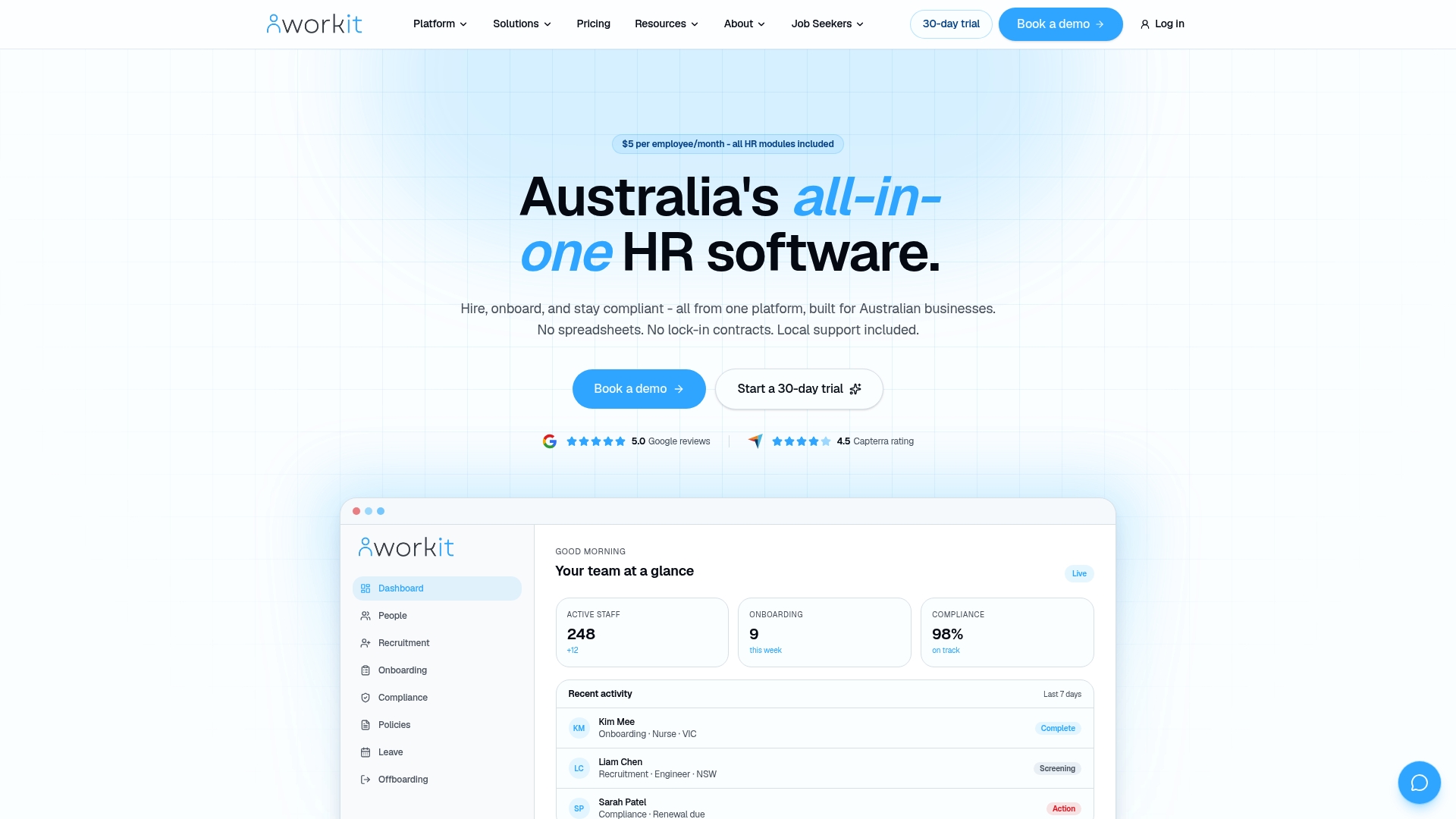
Workit maps directly to the must-have features covered in this guide: path-level reporting, automated enrolment triggered by role or hire date, certificate issuance on completion, and integration with payroll via Xero. Because all modules are included at $5 per employee per month with no hidden fees, there are no per-module licence surprises as your path library grows. Local Australian support means you get a real person who understands Fair Work, WHS, and the practical realities of Australian workforce compliance — not a generic help desk.
Ready to build your first path? Book a demo with Workit and see how the LMS module works alongside onboarding, compliance, and HRIS in one platform.
Sources
- Building an effective learning and development strategy to support career pathing | Randstad Australia
- Corporate Learning Paths: Structured Staff Training
- Learning Management Systems (LMS) with Learning Paths …
FAQ
What is a learning path in an LMS?
A learning path in an LMS is a sequenced set of courses, assessments, and activities that guides a learner from a defined starting point to a specific outcome, with prerequisites controlling progression between steps.
How many modules should a learning path include?
Start with 4–6 modules for a pilot path. Shorter paths have higher completion rates, and you can extend the sequence once you have data showing learners are progressing without stalling.
What LMS features are most important for compliance training in Australia?
True prerequisite enforcement, path-level reporting with timestamped audit trails, configurable due dates, and automated reminders are the features that matter most for compliance paths in Australian regulated industries.
How does Workit support learning path management?
Workit’s Learning Management module supports sequenced paths, automated enrolment based on role or hire date, certificate issuance, and path-level reporting — all connected to the same HRIS and compliance data used across the platform.
How long does it take to build and launch a learning path?
A small project covering one to two paths typically takes 9–13 weeks from discovery to post-launch review, with content authoring being the largest time variable.