

Digital HR forms: a practical guide for Australian teams
Digitise your highest-impact forms this week, store them in a single integrated HR system, and notify your payroll team the moment the first form goes live. That is the fastest path to measurable results. Start with offer letters, onboarding checklists and leave requests — three form types that affect every new hire and every pay cycle. Move them into a platform that connects directly to your payroll system, and you will cut manual data entry, speed up pay-slip delivery, and create an audit trail that satisfies Fair Work obligations from day one. Workit is built specifically for Australian businesses to do exactly this, at $5 per employee per month with all modules included.
Key takeaways
Digitising HR forms delivers the fastest results when you prioritise high-impact, high-frequency forms first, connect them to payroll, and run a phased rollout with active manager training.
| Point | Details |
|---|---|
| Prioritise by impact and compliance risk | Start with onboarding, timesheets and leave requests — they affect every employee and every pay cycle. |
| Meet Fair Work’s seven-year retention rule | Store all employee records digitally in a searchable, exportable format for the required seven years. |
| Design forms using the Style Manual approach | Collect only the minimum information needed; use single-column layouts, plain English and mobile-first design. |
| Run a phased 30/60/90-day rollout | Pilot with a small group, iterate on feedback, then broaden — never launch all form types at once. |
| Workit for Australian compliance | Workit provides all modules including custom forms, e-signatures and Xero integration at $5 per employee per month. |
This article is general information, not a substitute for advice from a qualified lawyer. Consult a qualified legal professional about your own circumstances before acting on anything here.
Table of Contents
- What are digital HR forms and how do they work for hybrid teams?
- Which digital HR forms should you prioritise first?
- What are the Australian compliance rules for electronic HR documents?
- How do you design HR forms that are quick, fair and legally safe?
- What does a phased rollout plan look like in practice?
- What must your HR form templates actually include?
- How does Workit support Australian businesses with compliant HR forms?
- How do you manage digital consent within HR forms under Australian law?
- What security measures should protect your digital HR form data?
- How do you protect HR form data from loss or system failure?
- How do Australian anti-discrimination laws affect your HR form questions?
- Change management and training: the human side of going digital
- An honest perspective on digital HR form rollouts
- Workit makes compliant digital HR forms straightforward for Australian businesses
- Sources
- FAQ
What are digital HR forms and how do they work for hybrid teams?
Digital HR forms are online versions of the paper-based documents your HR team has always used — captured through a web browser or mobile app, e-signed, stored securely, and fed directly into your HRIS or payroll system. No printing, no scanning, no chasing signatures by email.
For hybrid and remote teams, the operational value is immediate. A new starter in Brisbane can complete their onboarding paperwork on a phone before their first day. A manager in Perth can approve a leave request in two taps. An incident report filed from a remote site lands in the HR system within minutes, timestamped and ready for audit.
Common uses across hybrid workforces include:
- Onboarding and employment contracts — sent, signed and stored before day one
- Leave requests and approvals — routed automatically to the right manager
- Timesheets — submitted weekly from any device and synced to payroll
- Incident reports — completed on-site via mobile with photo attachments
- Pay slips — issued electronically with a secure, printable format
- Performance review forms — completed asynchronously by managers and employees
The workflow is straightforward: a form is completed online, validated and e-signed, stored in a secure document repository, then integrated with payroll or your HRIS so the data flows without manual re-entry. That last step — integration — is where most of the time savings actually come from.
Which digital HR forms should you prioritise first?
The right prioritisation principle is impact multiplied by frequency multiplied by compliance risk. Forms that touch every employee, every pay cycle, or carry a legal obligation come first.
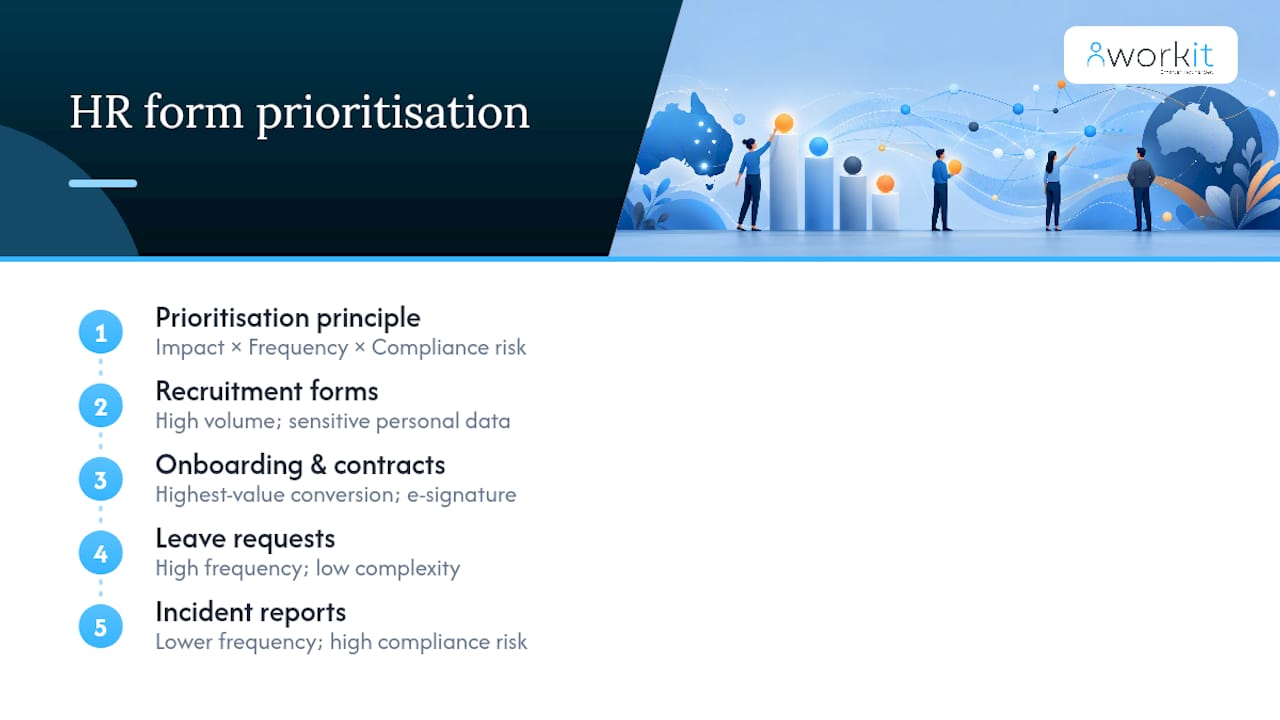
Job applications and recruitment forms sit at the top for most businesses. They are high volume, involve sensitive personal data, and must avoid discriminatory questions under Australian law. Getting the design right early protects you from complaints before a candidate even joins.
Onboarding and employment contracts are the single highest-value conversion. A paper-based onboarding process typically takes days of back-and-forth. Digital onboarding forms with e-signature can compress that to hours, and the completed contract lands directly in the employee’s digital file.
Pay slips and timesheets carry the heaviest compliance weight. Fair Work requires employers to issue pay slips within one working day of pay day, and electronic pay slips are acceptable provided they contain the same information as paper versions and are issued securely in an easily printable format. Digitising timesheets eliminates the manual transfer of hours into payroll — a common source of underpayment errors.
Leave requests and approvals are high frequency and low complexity, which makes them ideal for quick wins. Automating the approval workflow removes the email chain and gives managers a clear record of who approved what and when.
Incident reports and workers’ compensation forms are lower frequency but high compliance risk. A paper-based incident report filed late or lost entirely creates serious liability. Digital forms with mandatory fields and automatic routing to the right person close that gap.
Termination and exit paperwork rounds out the priority list. Checklists for equipment return, final pay calculations and separation agreements need to be accurate and stored for the long term.
What are the Australian compliance rules for electronic HR documents?
Electronic signatures are generally valid in Australia under the Electronic Transactions Act 1999 (Cth) and its state equivalents, provided both parties consent to transacting electronically and the signature reliably identifies the signatory. Most standard HR documents — employment contracts, leave forms, incident reports — meet this threshold without issue.
Fair Work record-keeping obligations require employers to keep employee records for seven years. Those records must be legible, accessible, and available for inspection. A digital system that stores records in a searchable, exportable format satisfies this requirement more reliably than a filing cabinet. Good HR and payroll systems create consistent, auditable records that reduce compliance risk significantly for Australian employers.
Before you launch any digital form, run through this checklist:
- Data minimisation — collect only the personal information you actually need for the stated purpose (see the next section on privacy)
- Privacy notice — include a short statement on each form explaining what data is collected, why, and how it is stored
- Secure access — role-based permissions so only authorised staff can view sensitive records
- Retention policy — a documented schedule aligned to the seven-year Fair Work requirement
- Findability — records must be retrievable quickly if Fair Work or a court requests them
- Electronic pay slip compliance — issue within one working day of pay day, in a secure and printable format
Statistic callout: Fair Work requires employee records to be kept for seven years from the date of the record’s creation.
How do you design HR forms that are quick, fair and legally safe?
The Australian Style Manual’s user-needs approach gives you the clearest design principle: collect only the minimum information required for the task, and design the form around the person completing it, not the system receiving it.
In practice, that means a single-column layout that works on a phone screen, clear field labels written in plain English, logical grouping of related questions, and a save-and-resume function for longer forms like employment contracts or incident reports. Every field should have a reason to exist. If you cannot articulate why you need a piece of information, remove the field.
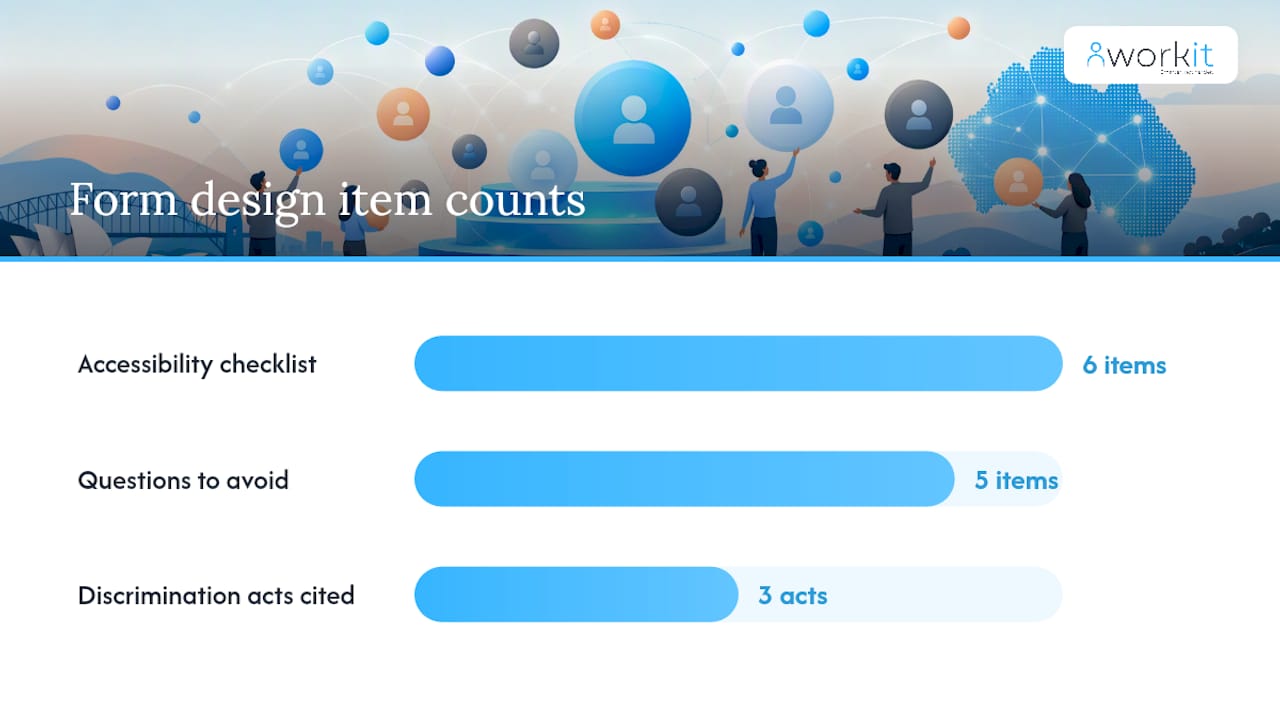
Accessibility checklist for every form:
- Single-column layout, minimum 16px font
- Descriptive field labels (not just “Name” — “Legal first name as it appears on your tax file”)
- Required fields clearly marked, with plain-English error messages
- Mobile-first design tested on iOS and Android
- Save and resume for forms longer than ten fields
- Keyboard-navigable for users who cannot use a mouse
Questions to avoid entirely include date of birth (unless legally required for superannuation or age-restricted roles), country of birth, religion, marital status, and questions about disability or health that are not directly relevant to the role. These fields create discrimination risk under the Age Discrimination Act 2004, the Disability Discrimination Act 1992, and the Racial Discrimination Act 1975. Sprintlaw’s guidance on compliant job application forms recommends including a short privacy notice on every recruitment form and storing applicant data securely with a defined retention period.
Pro Tip: Use conditional logic (progressive disclosure) to show additional fields only when they are relevant. A form that asks “Do you have a current driver’s licence?” and only reveals the licence number field when the answer is “Yes” feels shorter, reduces errors, and collects less unnecessary data.
What does a phased rollout plan look like in practice?
Digitising HR is as much a cultural change as a technical one. A phased approach consistently outperforms a big-bang launch because it gives you time to catch design problems before they affect the whole workforce.
30/60/90-day rollout framework:
| Phase | Timeframe | Key actions |
|---|---|---|
| Pilot | Days 1–30 | Select 5 users across locations; deploy 2 high-priority forms; gather structured feedback |
| Iterate | Days 30–60 | Fix friction points; train managers; document governance rules; connect payroll integration |
| Broaden | Days 60–90 | Roll out to full workforce; activate remaining form types; set audit log review schedule |
Integration priority order — connect these systems first, in this sequence:
- Payroll — timesheet and pay-slip data must flow without manual re-entry; this is your highest compliance risk
- HRIS / employee directory — so personal details update once and propagate everywhere
- Performance and leave management — once the core data is clean, these modules benefit from it automatically
- Learning management — lower urgency, but valuable once the foundation is stable
Governance to set up during implementation:
- Role-based access controls (managers see their team’s records; HR sees all; employees see their own)
- Audit logs that record who accessed or changed a record and when
- A documented backup and recovery policy (covered in detail below)
- A named form owner for each template who is responsible for keeping it current
A practical HR system implementation guide can help you map these steps to your specific team size and structure.
What must your HR form templates actually include?
Fair Work’s downloadable templates — covering job advertisements, job descriptions, telephone screening, reference checking, rosters and timesheets — are the right starting point. Customise them for your organisation rather than building from scratch; they are already aligned to Australian award and record-keeping requirements.
Must-have fields by form type:
- Job application form: full name, contact details, right-to-work declaration, role-specific questions, privacy notice, consent to store data
- Offer letter / employment contract checklist: role title, start date, remuneration, hours, award or agreement reference, probation period, e-signature block
- Onboarding checklist: tax file number declaration, superannuation choice form, bank details, emergency contact, equipment issued, policy acknowledgements
- Timesheet: employee name, pay period, hours per day, total hours, manager approval field, date submitted
- Leave request form: employee name, leave type, start and end dates, total days, reason (optional), manager approval with timestamp
- Incident report: date, time and location of incident, persons involved, description, immediate actions taken, witness details, manager notified field, corrective actions
- Termination checklist: final pay calculation, equipment return confirmation, system access revocation, separation agreement reference, PAYG payment summary notes
For electronic pay slips specifically, Fair Work requires the document to include the employer’s name and ABN, the employee’s name, the pay period, the gross and net pay, each allowance and deduction itemised, the ordinary hourly rate, and the superannuation contribution. Issue them within one working day of pay day, in a format the employee can print or save.
Workit’s built-in form library includes templates for all of these, pre-configured for Australian compliance and ready to customise. You can explore the employee onboarding software to see how templates connect to automated workflows.
How does Workit support Australian businesses with compliant HR forms?
Workit is built for Australian businesses that need forms, compliance, and payroll to work together without a patchwork of disconnected tools.
Key features relevant to digital form management:
- Custom forms and approvals — build any form type with conditional logic, required fields and multi-step approvals
- E-signature — legally valid electronic signatures captured within the platform
- Secure document storage — role-based access, audit logs, and seven-year retention support
- Payroll integration — direct connection to Xero so timesheet and pay data flows without manual entry
- Automated workflows — route forms to the right approver automatically; trigger onboarding tasks when a contract is signed
- Real-time compliance reporting — see which employees have outstanding forms, unsigned policies or overdue reviews
- Local support — Australian-based team available to help with implementation and compliance questions
Pricing callout: Workit’s transparent pricing is $5 per employee per month, with all modules included — no hidden fees, no per-feature add-ons.
A practical example: a 50-person business moving its onboarding paperwork into Workit typically eliminates the manual routing of four to six documents per new hire. When the signed contract triggers the onboarding checklist automatically, and the tax file number declaration feeds directly into Xero, the HR team recovers hours per hire that were previously spent on follow-up emails and manual data entry.
For businesses evaluating platforms, the HR software feature checklist covers the 15 capabilities worth assessing before you commit.
How do you manage digital consent within HR forms under Australian law?
Consent in digital HR forms is governed primarily by the Privacy Act 1988 (Cth) and the Australian Privacy Principles (APPs) administered by the Office of the Australian Information Commissioner (OAIC). APP 3 requires that personal information is collected only for a stated, lawful purpose, and that the individual is informed of that purpose at the point of collection.
In practice, this means every HR form that collects personal information needs a consent block that explains: what information is being collected, why it is needed, who will have access to it, how long it will be retained, and whether it will be shared with third parties (such as a payroll provider or background check service). The consent must be genuine — a pre-ticked box does not satisfy the requirement.
For sensitive information — health data, criminal history, union membership — APP 6 requires explicit consent before the information can be used for any purpose beyond the one it was collected for. If your incident report form collects health information about an injured worker, that data cannot be used for performance management without separate, specific consent.
Practically, build consent into the form structure itself: a clearly labelled section before the submit button, written in plain English, with a checkbox the employee actively ticks. Store the consent record alongside the form submission so you can demonstrate compliance if the OAIC ever asks.
What security measures should protect your digital HR form data?
HR forms contain some of the most sensitive personal data your business holds — tax file numbers, bank details, health information, and performance records. The security baseline for Australian businesses handling this data is set by the APPs and, for larger organisations, the Notifiable Data Breaches (NDB) scheme under the Privacy Act 1988.
Encryption is the foundation. Data should be encrypted in transit (TLS 1.2 or higher) and at rest (AES-256 or equivalent). Any platform you use for digital HR forms should be able to confirm both.
Access controls must be role-based and reviewed regularly. An employee should be able to see their own records. Their manager should see their team’s records. HR should see all records. No one outside those roles should have access by default. Audit logs should record every access event — who viewed or changed a record, and when.
Data breach protocols are legally required under the NDB scheme for businesses with an annual turnover above $3 million, or those that handle health information or government identifiers regardless of size. Your protocol should include: a defined response team, a 30-day notification window to the OAIC and affected individuals once a breach is assessed as likely to cause serious harm, and a documented post-incident review process.
For smaller businesses below the NDB threshold, the same protocols are best practice. A breach involving employee tax file numbers or bank details causes real harm regardless of your turnover.
How do you protect HR form data from loss or system failure?
Backup and disaster recovery for digital HR data is not optional — it is a compliance requirement when you consider that Fair Work records must be accessible for seven years. A system failure that destroys three years of timesheet records is both an operational crisis and a legal exposure.
A sound backup strategy follows the 3-2-1 principle: three copies of the data, on two different media types, with one copy stored off-site or in a separate cloud region. For most Australian businesses using a cloud-based HR platform, the platform provider handles the primary backup — but you should confirm their recovery point objective (RPO) and recovery time objective (RTO) in writing before signing a contract.
Key questions to ask your HR platform provider:
- How frequently is data backed up, and what is the RPO?
- What is the RTO if a full restore is needed?
- Are backups stored in Australian data centres, and does that satisfy your data sovereignty requirements?
- Can you export a full data set on demand, in a portable format?
The last point matters more than most HR teams realise. If you ever need to migrate to a different platform, or if your provider ceases operations, you need to be able to extract your records in a usable format. Confirm this capability before you commit.
How do Australian anti-discrimination laws affect your HR form questions?
Australian anti-discrimination law operates at both federal and state levels, and it applies to HR forms from the moment a candidate first interacts with your recruitment process. The key federal instruments are the Age Discrimination Act 2004, the Disability Discrimination Act 1992, the Racial Discrimination Act 1975, the Sex Discrimination Act 1984, and the Australian Human Rights Commission Act 1986.
The practical rule is straightforward: only ask questions that are directly relevant to a person’s ability to perform the inherent requirements of the role. A question about whether a candidate can work the required hours is lawful. A question about whether they have children is not. A question about whether they can lift 20kg for a physically demanding role is lawful. A question about a disability is generally not, unless a specific adjustment is being discussed at the candidate’s initiative.
Digital forms create a particular risk because they are easy to copy from old paper templates without reviewing the questions. Before you publish any recruitment or onboarding form, review every field against this test: is this question necessary to assess the person’s ability to do this specific job? If the answer is anything other than a clear yes, remove the field.
State and territory laws add further protections — for example, the Equal Opportunity Act 2010 (Vic) and the Anti-Discrimination Act 1991 (Qld) cover additional attributes such as physical features and association with a person who has a protected attribute. If your workforce spans multiple states, design your forms to the most protective standard.
Change management and training: the human side of going digital
The technology is the easy part. The harder work is getting managers and employees to trust the new process and use it consistently. Published guidance on HR digitisation is clear that phased rollouts with active training and communication consistently outperform big-bang launches.
Three things make the difference in practice. First, involve managers early — before the pilot launches, not after. Managers who understand why the change is happening become advocates; managers who feel it was done to them become blockers. Second, provide training in the format people actually use: short video walkthroughs for mobile-first forms, a one-page reference guide for the approval workflow, and a named contact for questions in the first 30 days. Third, close the feedback loop visibly. When a pilot user flags a friction point and you fix it before the broader rollout, that action builds more trust than any communication plan.
For SMEs in particular, the operational benefits of integrated HR systems — reduced manual admin, fewer payroll errors, faster onboarding — are most accessible when the rollout is treated as a business change project, not an IT deployment.
An honest perspective on digital HR form rollouts
The most common mistake Australian HR teams make when digitising forms is treating it as a document conversion project. They take their existing paper forms, turn them into PDFs or online equivalents, and wonder why adoption is low and errors persist. The form is not the problem. The workflow around the form is.
The businesses that get the fastest results are the ones that redesign the process at the same time as they digitise the form. They ask: who needs this information, when do they need it, and what happens next? When the answer to “what happens next” is “it automatically routes to payroll and triggers the onboarding checklist,” the form becomes part of a system rather than a standalone document.
One concrete quick win: digitise your onboarding checklist first and automate the contract routing. When a signed contract triggers the next step automatically, new starters arrive on day one with their system access ready, their super choice lodged, and their manager already notified. That single change is visible, measurable, and builds confidence in the broader rollout.
The common pitfall to avoid is launching too many form types at once. Pick two or three, get them right, and let the results speak before expanding. Workit’s local support team can help you sequence the rollout and configure compliance features to match your specific award and industry requirements.
Workit makes compliant digital HR forms straightforward for Australian businesses
Replacing paper-based HR processes with a connected digital system does not have to be a long project. Workit gives Australian HR teams and business managers a single platform for custom forms, e-signatures, automated approvals, payroll integration with Xero, and real-time compliance reporting — all for $5 per employee per month with every module included and no hidden fees.
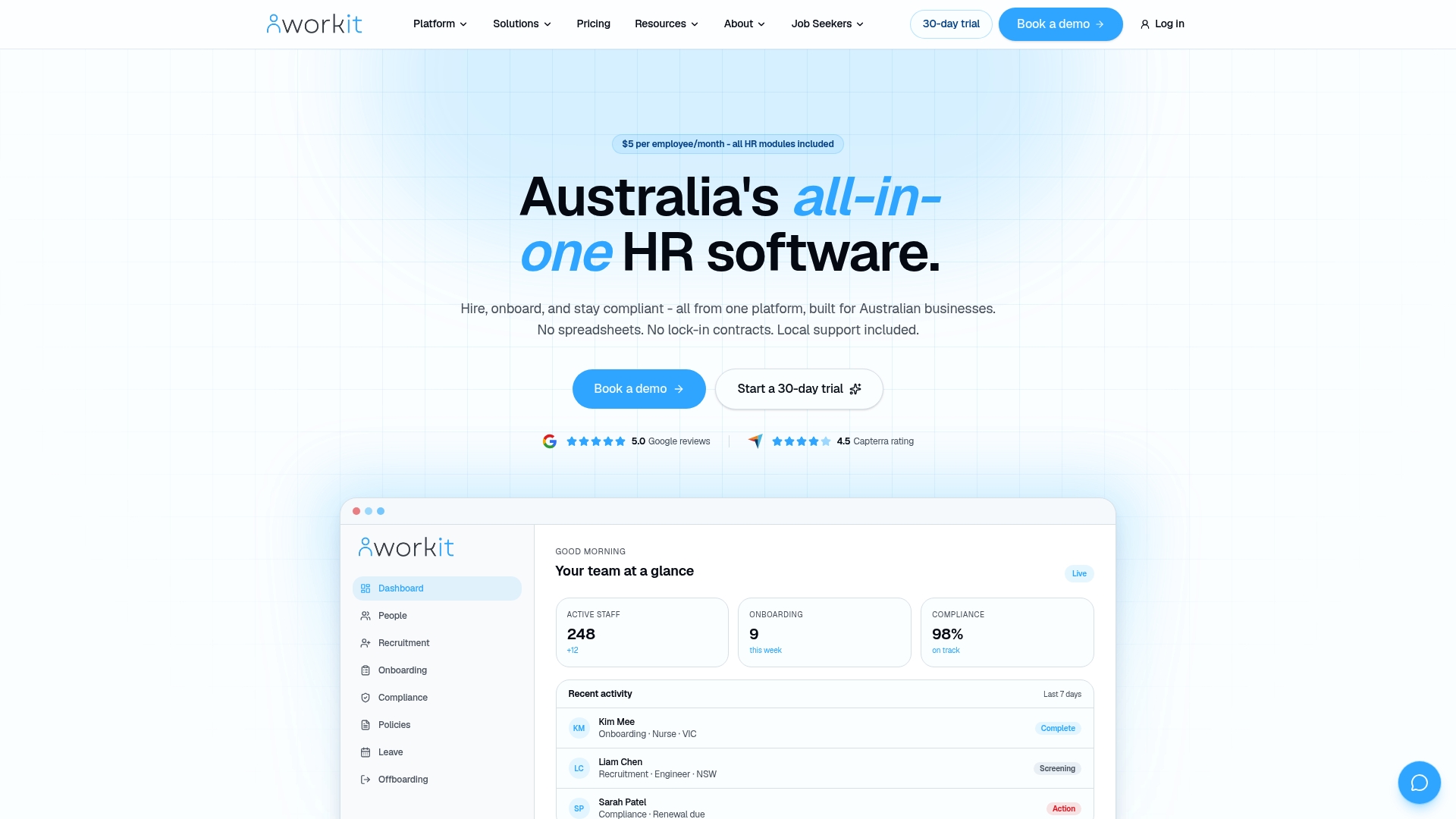
For teams moving from spreadsheets or disconnected tools, Workit’s local support team handles the implementation questions that matter in Australia: Fair Work record-keeping, award interpretation, and data sovereignty. Optional paid implementation services are available for larger migrations where you need hands-on configuration support. Book a demo or start a 30-day trial to see how quickly your first forms can go live.
Sources
- Forms | Style Manual
- Record-keeping and pay slips fact sheet - Fair Work Ombudsman
- Digitising HR Processes: Benefits & Pitfalls Explained
FAQ
What is a digital HR form?
A digital HR form is an online version of a standard HR document — such as a leave request, onboarding checklist or incident report — completed electronically, e-signed, and stored in an HR system rather than printed and filed manually.
How do you create compliant HR forms in Australia?
Start with Fair Work’s downloadable templates as a baseline, apply the Style Manual’s user-needs design approach, include a privacy notice on every form that collects personal information, and store completed records for seven years to meet Fair Work obligations.
Are electronic signatures valid on Australian HR documents?
Yes. Electronic signatures are generally valid under the Electronic Transactions Act 1999 (Cth) for most HR documents, provided both parties consent to transacting electronically and the signature reliably identifies the signatory.
What does “digital HR” mean for a small business?
Digital HR means managing your HR processes — hiring, onboarding, leave, timesheets, compliance — through an online platform rather than paper files and spreadsheets. For small businesses, the practical benefit is fewer manual errors, faster processing, and records that are always findable for audits.
Which HR forms should a small business digitise first?
Prioritise onboarding checklists and employment contracts, timesheets, and leave request forms. These three types affect every employee regularly, carry Fair Work compliance obligations, and deliver the fastest time savings when automated through a platform like Workit.