


Avoid 6–12 Month HCM Migrations: HRIS, HRMS, HCM for Australian SMEs
HRIS covers your core employee records, workflows, and compliance basics. HRMS builds on that with payroll and time and attendance. HCM adds talent management, learning, succession, and workforce analytics on top of both. Small and mid-sized businesses with payroll already sorted usually do best layering an HRIS; only larger or fast-scaling organisations tend to need full HCM consolidation. The checklist further down will help you match your situation to the right path.
TL;DR:
- Most Australian businesses under 200 employees should layer an HRIS on their current payroll system to improve compliance and reporting quickly and cost-effectively.
- HRIS systems mainly handle employee records, leave tracking, and basic compliance, while HCM platforms add talent management, workforce analytics, and native payroll capabilities.
- Payroll integration quality is critical, as an HRIS typically relies on syncs with external payroll providers, whereas HCM systems often process payroll natively, reducing risks on pay day.
- Implementation of an HRIS layer usually takes four to eight weeks, while full HCM migration can range from six to twelve months due to complexity and data migration needs.
- The added cost for modules, data migration, and support support vendor proposals, so requesting detailed, itemized quotes helps compare the true total cost of ownership.
Table of Contents
- HRIS vs HCM vs HRMS: what’s actually included in each
- Feature-by-feature comparison: what the difference means day to day
- When to choose each: matching the system to your situation
- Implementation timeline and what the quote won’t tell you
- Integration and migration: where post-launch pain actually starts
- How to choose: a checklist for shortlisting HR software
- Why Workit fits businesses wanting an all-in-one HRIS
- The pragmatic call: layer first, consolidate only when forced
- Ready to see the HRIS-style approach in action?
- Sources
- FAQ
HRIS vs HCM vs HRMS: what’s actually included in each
The confusion isn’t your fault. Vendors slap “HCM” on products that barely cover talent management, and call basic record-keeping tools “HRMS” because it sounds more impressive on a sales deck. An HRIS is a centralised system of record for employee data and basic HR processes, while HCM extends that with talent management, workforce planning and deeper analytics. HRMS sits in the middle, adding the transactional heavy lifting.
Here’s how the scope typically breaks down when you strip away the marketing:
- HRIS: employee records, org charts, leave tracking, document storage, and basic compliance workflows. Think of it as your single source of truth for “who works here and what do we know about them.”
- HRMS: everything in HRIS, plus payroll processing, time and attendance, rostering, and award interpretation. This is where the operational grunt work lives.
- HCM: everything in HRMS, plus talent acquisition, performance management, learning and development, succession planning, and workforce analytics that feed into business strategy.
That progression isn’t universally agreed upon. Some vendors sell “HRIS” products that already include payroll. Others market a glorified employee directory as “HCM” because the acronym tests better with buyers. This is why vendors market HRIS, HRMS and HCM labels inconsistently, and actual module coverage matters more than the label on the box. Before you get attached to a category name, ask for the actual module list.
For most Australian businesses under 200 employees, the practical question isn’t “which category do I need?” It’s “does this platform handle compliance, onboarding, and reporting without me exporting to a spreadsheet every fortnight?” That’s a fair question to hold every vendor to, regardless of what they call themselves.
Feature-by-feature comparison: what the difference means day to day
The category labels matter less than what happens when something goes wrong or something needs scaling. Here’s where the real gaps show up.
Payroll ownership versus payroll integration. An HRIS typically doesn’t run payroll itself. It syncs with a payroll provider (Xero, for example) and pulls data back for reporting. An HRMS or HCM often processes payroll natively. The consequence: if your HRIS integration breaks, you lose visibility, not pay runs. If your HCM’s native payroll module breaks, you have a genuine emergency on pay day. That’s a meaningfully different risk profile, and it should factor into how much you weigh “all-in-one” convenience against blast radius.
Talent management depth. HRIS platforms handle the basics of recruitment tracking and onboarding checklists. HCM platforms go further into structured performance cycles, 9-box succession grids, and learning paths tied to competency frameworks. A manager wanting to flag a high performer for a leadership pipeline gets a genuine workflow in HCM. In a pure HRIS, that’s usually a manual conversation with HR, tracked in a spreadsheet.
Analytics and workforce planning. This is where HCM earns its premium. Mid-market buyers evaluating HRIS versus HCM should weigh analytics depth, headcount planning, integrations, AI, and total cost before deciding. An HRIS gives you headcount and leave reports. An HCM gives you attrition forecasting, pay equity analysis, and scenario modelling for restructures. Gartner’s guidance to HR leaders stresses connecting people data to measurable business outcomes as one of the top priorities shaping HR technology decisions right now, and that’s exactly the capability HCM platforms are built to deliver.
Security, compliance, and data ownership. Every category should offer role-based access and audit trails, but depth varies enormously. HRIS platforms built for Australian compliance (Fair Work record-keeping, award interpretation flags) tend to be tighter on local rules than global HCM suites retrofitted for the Australian market. Ask specifically about Fair Work compliance tracking, not just generic “security certifications.”
Three scenarios that make the differences concrete:
- A hiring surge of 40 new starters in a month stresses an HRIS’s onboarding workflows before it stresses payroll. HRMS and HCM users feel the strain in performance review scheduling and training assignment instead.
- A payroll error affecting overtime calculations is a vendor support ticket in an HRIS setup (call your payroll provider) but a platform-wide incident in an HCM with native payroll.
- A board asking for turnover-by-department-by-tenure analysis in an afternoon is trivial in HCM, painful in HRMS, and often impossible without manual work in a basic HRIS.
When to choose each: matching the system to your situation
Your organisation’s size and payroll health point pretty clearly to one path over the others.
- Under 50 employees with payroll working fine. Layer an HRIS on top of your existing payroll provider. You get compliance tracking, onboarding, and reporting without touching what already works. Layering an HRIS on an existing payroll provider deploys faster and reduces switching risk compared with replacing payroll outright, which matters a lot when your HR team is one or two people.
- 50 to 500 employees, growing, payroll adequate but reporting is painful. This is the layering sweet spot too, unless you’re planning rapid headcount growth or M&A in the next 12 months. Mid-market organisations often face a real trade-off here: full HCM consolidation is expensive and lengthy, and layering specialised modules can fix the immediate pain faster and at a lower total cost.
- 500+ employees, multiple entities, or global payroll complexity. This is where HCM consolidation starts paying for itself. Complex award structures, multi-country payroll, and formal succession planning genuinely need the deeper toolset.
- Any size, if payroll itself is failing. A payroll system generating repeated errors, missed superannuation payments, or compliance breaches is the clearest trigger to consolidate into HRMS or HCM, regardless of headcount. Fix the fire first.
- Post-acquisition or entity consolidation. Merging two employee populations onto one system almost always justifies the disruption of an HCM migration, because running parallel systems indefinitely costs more than the transition.
Layering an HRIS is genuinely less disruptive: you’re adding a system, not ripping one out. Full HCM consolidation touches payroll, which touches every employee’s pay packet, which means the tolerance for error is close to zero.
Implementation timeline and what the quote won’t tell you
Timelines vary widely depending on data quality and how many integrations you’re running, but the general pattern holds. HRIS layering typically deploys faster and costs less to implement than a full HCM consolidation, which often requires multi-quarter projects and higher implementation fees. Expect roughly four to eight weeks for an HRIS layer on functioning payroll, versus six to twelve months for a genuine HCM consolidation with payroll migration, data cleansing, and change management across departments.
The advertised per-employee price is rarely the whole story. Common cost drivers that don’t show up in the headline quote:
- Data migration from legacy systems, especially messy leave balances and historical records.
- Payroll cutover and parallel running, where you operate two systems simultaneously to catch discrepancies before switching off the old one.
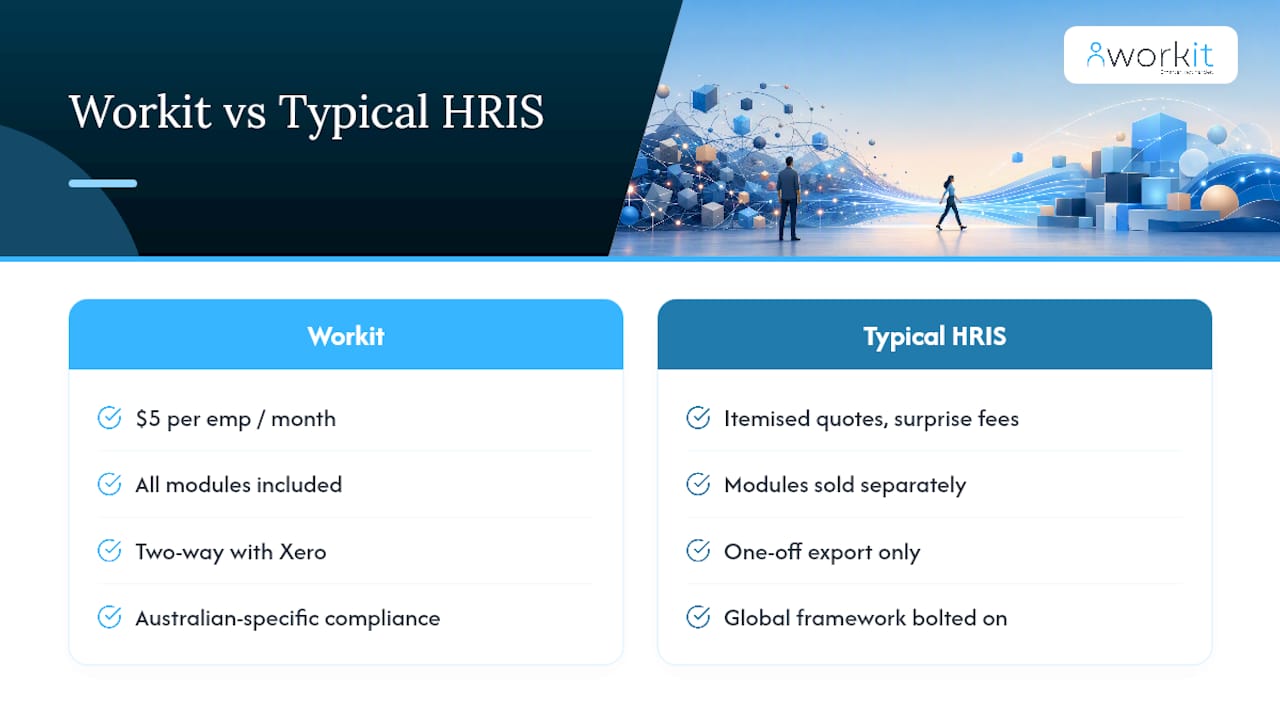
- Paid add-on modules that vendors quote separately once you’re past the demo stage.
- Training time for managers who’ll actually use the self-service features, not just HR staff.
Pro Tip: Ask every vendor for an itemised quote listing exactly which modules are activated, what implementation costs, and what a parallel-run period would cost. A request for an itemised quote like this yields a far better total cost of ownership comparison than any advertised per-employee starting price.
Before you sign anything, sit down with finance and walk through the full budget picture together: implementation fees, ongoing per-employee costs, training time lost to the transition, and the cost of running old and new systems side by side. The additional functionality of HRMS or HCM suites can increase both cost and implementation scope, which is exactly why some organisations deliberately stick with best-of-breed modules instead of chasing a single suite.
Integration and migration: where post-launch pain actually starts
Most HR software failures aren’t feature gaps. They’re integration failures discovered three months after go-live, when someone notices payroll data hasn’t matched the HRIS for weeks.
The number of integrations a vendor advertises matters far less than their quality. A one-way export is a common integration failure point, and two-way sync is essential for avoiding manual reconciliation between systems that should agree with each other automatically. If a change in one system doesn’t flow both directions automatically, someone on your team becomes the manual sync, forever.
During payroll migration specifically, audit these data points before cutover: leave balances (accrued and taken), superannuation history, tax file declarations, and any custom pay conditions tied to individual employees or awards. Errors here don’t surface until someone’s pay is wrong.
Prioritise integrations with your payroll provider, applicant tracking system, accounting software, learning management system, and rostering tool, in roughly that order of business risk. Ask vendors these questions directly:
- “Is this integration two-way sync, or a one-way export I have to reconcile manually?”
- “What happens to our historical data during migration, and who’s responsible for cleaning it?”
- “What’s your rollback plan if the migration fails midway?”
- “What support response time can we expect during the first 90 days post-launch?”
How to choose: a checklist for shortlisting HR software
A compact, disciplined checklist beats a 40-tab comparison spreadsheet every time. Score each vendor against these criteria before you let a slick demo sway you.
Core evaluation criteria:
- Scope match: does it cover what you actually need today, not what a salesperson thinks you’ll need in three years?
- Analytics depth: can it answer a board-level question about turnover or pay equity without a manual export?
- Integration quality: two-way sync with your payroll, accounting, and ATS tools, verified in the demo, not promised in a slide.
- Implementation support: local support team, realistic timeline, named point of contact.
- Security and compliance: Fair Work record-keeping, data residency, and role-based access controls.
- Total cost of ownership over three years, not just the headline per-employee price.
Vendor questions worth asking outright, every time:
- “Walk me through your implementation phases and typical timeline for a business our size.”
- “What’s the exit plan if we want to leave this platform in two years?”
- “What SLA do you commit to for support response times?”
- “How is training delivered, and is it included in the price?”
Red flags in proposals and demos:
- Vague module lists that don’t map to specific features you can test.
- Reluctance to demonstrate the actual payroll or ATS integration live.
- Pricing that changes significantly between the sales call and the written quote.
A simple weighted score works well here: rate each vendor 1 to 5 on the six core criteria, weight analytics and integration quality double if those matter most to your business, and total it. It won’t remove judgement from the decision, but it stops a great demo from overriding a weak fit on paper. Workit’s own buyer guide for choosing HR software walks through this scoring approach in more detail.
Why Workit fits businesses wanting an all-in-one HRIS
Workit was built as an HRIS-style platform specifically for Australian businesses, which sidesteps a lot of the friction described above. Every module, recruitment and applicant tracking, onboarding, compliance management, performance reviews, learning, leave tracking, and real-time reporting, is included in one flat rate of $5 per employee per month. No itemised quote gymnastics, no surprise module fees six months in.
That matters directly against the buying criteria covered earlier. Integration with payroll providers like Xero is two-way, not a one-off export you’re left reconciling by hand. Compliance tracking runs against Australian requirements specifically, not a global framework bolted on for the local market. And because Workit’s compliance management is built around real-time visibility, the audit-readiness questions raised in the checklist above are largely answered before you ask them.
For a business that fits the “payroll works fine, reporting doesn’t” profile described in the use-case section, Workit’s HRIS software is precisely the layering path worth testing.
The pragmatic call: layer first, consolidate only when forced
Most businesses don’t need a full HCM suite. They need their existing payroll to stop being the only functioning system in their HR stack, and everything else, onboarding, compliance, reporting, to stop living in spreadsheets. That’s an HRIS problem, not an HCM problem, and treating it as the latter is how businesses end up paying for succession planning modules they’ll never open.
Consolidation earns its cost when payroll itself is broken, when you’re merging entities, or when global complexity genuinely demands it. Outside those triggers, the disruption and price tag of a full HCM migration rarely pays for itself inside three years.
If you’re deciding right now, do three things before signing anything: test the payroll integration live in a demo, get an itemised quote covering every module and the parallel-run period, and run a compliance health check on your current setup to see what you’re actually missing. That last step often reveals the real problem isn’t the software category at all.
— Stephen
Ready to see the HRIS-style approach in action?
If everything above points you toward layering rather than a full consolidation, Workit is built exactly for that path. Every module comes included at $5 per employee per month, so there’s no separate quote for compliance tracking, onboarding, or reporting once you’re past the demo, unlike the itemised cost surprises common with larger HCM suites. You get real, Australian-based support answering the phone when your payroll integration needs a second look, not an offshore ticket queue.
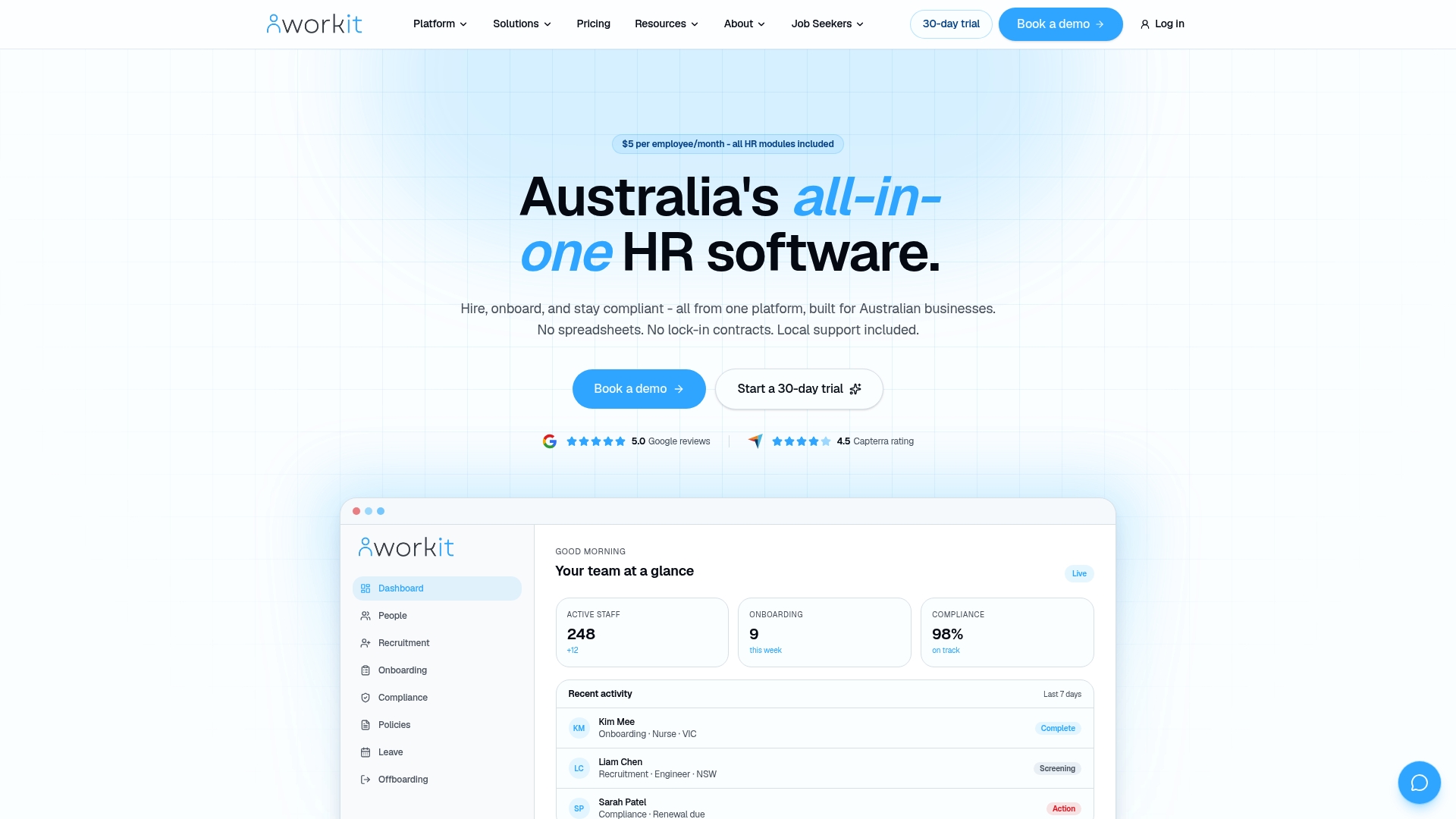
Given the compliance and integration risks covered throughout this guide, it’s worth running a proper compliance health check on your current setup before you commit to any platform. Workit’s team can walk you through exactly what an HR compliance health check looks like, or you can jump straight to a live demo and test the payroll integration yourself.
Sources
FAQ
What is the difference between HRIS, HRMS, and HCM?
An HRIS is a system of record for employee data and basic HR workflows. HRMS adds payroll and time and attendance on top of that, and HCM extends further into talent management, learning, succession planning, and advanced workforce analytics.
What are the main types of HRIS systems?
HRIS platforms are generally grouped by scope: core record-keeping systems, operational systems adding payroll and scheduling (often labelled HRMS), and strategic systems adding talent and analytics (often labelled HCM). Vendor naming varies, so check the actual module list rather than the category label.
Is Workday an HRIS or HCM?
Workday markets itself as an HCM platform, reflecting its focus on talent management, workforce planning, and advanced analytics alongside core HR records. That positioning sits at the enterprise end of the market, well beyond what most small and mid-sized Australian businesses need.
What are the three main HR systems?
The three commonly referenced categories are HRIS (core records and compliance), HRMS (adds payroll and time tracking), and HCM (adds talent management and strategic workforce analytics). In practice, the lines blur, and checking actual features matters more than the label.
How long does it take to implement an HRIS versus an HCM system?
Layering an HRIS on functioning payroll typically takes four to eight weeks. A full HCM consolidation involving payroll migration commonly runs six to twelve months, depending on data quality and the number of integrations involved.