

Prevent Payroll Failures: HRIS Implementation Checklist for Australia
A complete HRIS implementation checklist runs through eight phases: requirements, governance, data, integrations, testing, training, go-live, and 30/60/90 review. Three things decide whether it works: a named project owner who can make decisions, data cleansing treated as its own project phase, and proper testing with UAT and at least one parallel payroll run. Skip any of those three and the rest of the plan is just paperwork.
TL;DR:
- Failing to appoint a decision-making owner, properly cleanse data as a dedicated project phase, or conduct thorough payroll and integration testing will likely cause project failure.
- Data migration is the most common failure point, requiring a full, sign-off process and test imports before configuration begins to prevent surprises.
- Conducting parallel payroll runs and involving managers early in testing and training significantly reduces the risk of post-launch issues and poor adoption.
- A structured 30/60/90 review after go-live helps identify system stability, user engagement, and performance against initial success metrics.
- Proper governance, scope clarity, and phased testing are more critical than software features to ensuring a successful HRIS implementation.
Table of Contents
- What is an HRIS implementation checklist?
- Phase 0: before you shop, define outcomes, scope and success metrics
- Phase 1: governance, roles, and a realistic timeline
- How do you write requirements that actually filter vendors?
- Phase 3: how do you cleanse and migrate HR data safely?
- Phase 4: how do you test integrations and payroll?
- What does a proper HRIS testing plan cover?
- How do you get staff to actually use the new system?
- What should happen in the first 90 days after go-live?
- Why these steps matter: what practitioners actually see go wrong
- Author perspective: eight quick rules for running an HRIS project
- How Workit can help with your HRIS implementation
- Sources
- FAQ
What is an HRIS implementation checklist?
An HRIS implementation checklist is the working document that turns a software purchase into a live, working system your whole business relies on. It is not a single list. It is a series of stage gates, each with its own tasks, owners, and sign-off criteria.
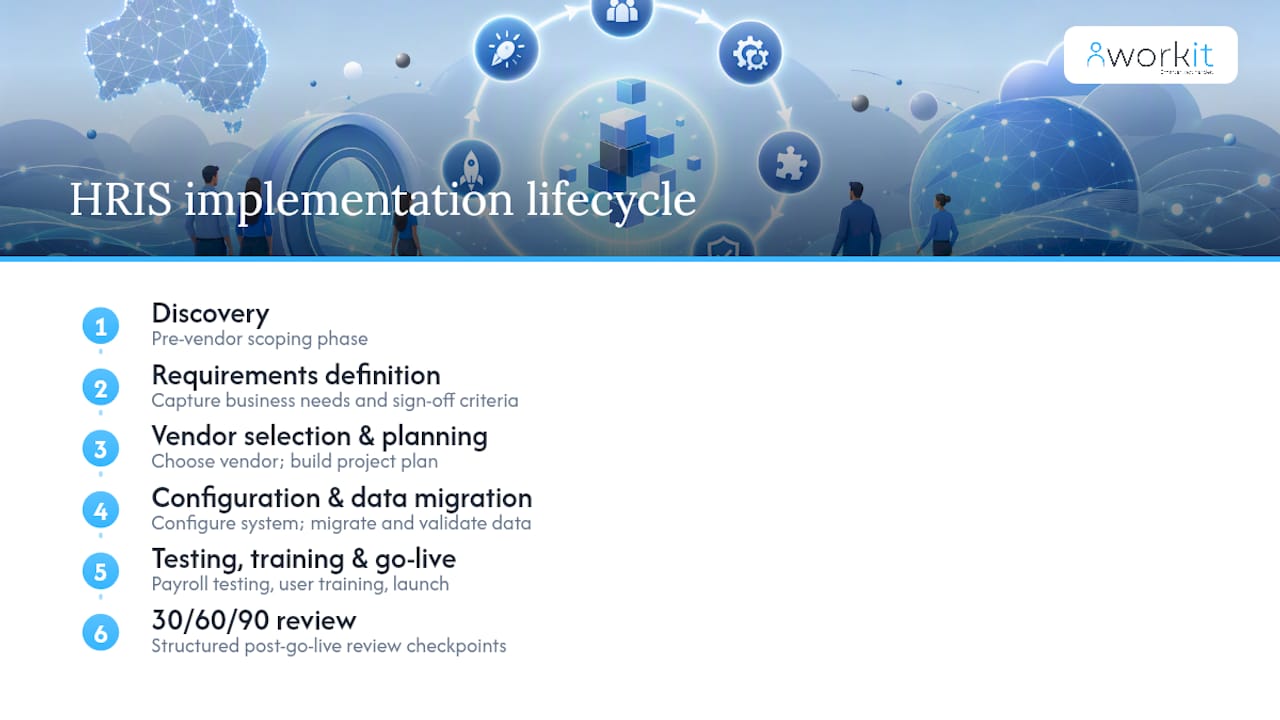
Most guides describe HRIS projects as a six-phase lifecycle: requirements definition, vendor selection, project planning, configuration and data migration, testing, and training with go-live, according to Lemon Learning. That structure holds up well in practice, but Australian HR teams tend to hit trouble in three specific spots: they underestimate data migration, they let governance drift, and they rush payroll testing because the go-live date was set before anyone scoped the work properly.
This checklist adds two phases most generic guides skip: a discovery phase before you even talk to vendors, and a structured 30/60/90 review after go-live. Both exist because that is where projects quietly fail even when the software itself is fine.
Phase 0: before you shop, define outcomes, scope and success metrics
Before any vendor demo, decide what “success” actually looks like in numbers. Vague goals like “improve HR efficiency” give your project team nothing to test against.
- Set measurable outcomes relevant to your organisation, such as reducing onboarding paperwork time, cutting payroll query tickets, or achieving timely policy acknowledgements.
- Map your hire-to-pay journey and any other critical process, then list every data field that journey depends on.
- Decide what stays outside the new system. Some businesses keep a specialised rostering tool or a finance system separate rather than forcing everything into one platform.
- Assign a named project owner and an executive sponsor before you approach a single vendor. Someone has to be accountable for the decisions that follow.
Getting scope right here saves weeks later. Vendors will always show you what their platform does well. Your job is to know, in advance, what you actually need it to do.
Phase 1: governance, roles, and a realistic timeline
Most implementation failures trace back to unclear ownership and weak governance rather than the software itself, according to Human Resources Director. A named owner prevents decision paralysis and keeps configuration choices aligned to business needs instead of whatever is easiest to build.
- Build a simple RACI: who’s Responsible, Accountable, Consulted, and Informed for each major decision (data, payroll, integrations, training).
- Set a milestone plan with real buffers around integration testing and payroll parallel runs. These are the stages that blow out timelines most often.
- Agree on decision rules upfront. If a stakeholder wants to add scope midway through, who has the authority to approve it, and what does adding it cost the timeline?
- Write a short risk register covering the obvious threats. Data quality, vendor resourcing delays, key staff leave, and payroll cutover errors deserve a line each, with a mitigation next to it.
A practical governance guide can help you structure this if you’re doing it for the first time.
How do you write requirements that actually filter vendors?
Turn your Phase 0 outcomes into specific, testable requirements, then split them into must-haves and nice-to-haves. This distinction matters more than most HR teams realise. Every vendor demo looks impressive until you ask it to do the one thing your business actually needs.
Write scenario-based demo scripts instead of asking generic questions. Ask the vendor to show you, live, how a new starter with a part-time contract and a probation clause flows through onboarding to their first pay run. Watch what breaks.
- List must-haves: things like Xero payroll integration, single sign-on, award interpretation, or multi-entity reporting.
- List nice-to-haves separately, so a flashy feature doesn’t distract from a missing core capability.
- Check support model, response times, upgrade policy, and total cost including implementation fees, not just the per-seat price.
- Ask for reference calls with businesses of similar size and structure, and ask specifically about their data migration experience.
A feature checklist covering the 15 essentials is worth working through before you sit through another demo.
Pro Tip: Ask every vendor the same “day in the life” question: what happens when an employee changes from casual to part-time mid pay cycle? The answer tells you more than any feature list.
Phase 3: how do you cleanse and migrate HR data safely?
Data migration is the single most common point of failure in HR system projects, according to Human Resources Director. Treat it as its own project phase with a dedicated owner and its own sign-off, not a subtask buried inside configuration.
- Inventory every data source, spreadsheets, the old system, payroll exports, paper files, and assign an owner to each one.
- Standardise field formats, remove duplicate employee records, and decide how many years of historical leave and pay data you actually need to carry forward.
- Run a test import into a sandbox environment and manually reconcile a sample of records against the source data.
- Get formal sign-off on the cleansed dataset before configuration begins, not after.
Data cleansing isn’t a formality. Practitioner reporting consistently flags it as the highest-risk activity in the entire project, well ahead of software configuration itself, per Human Resources Director.
Businesses running an hr audit checklist Australia style review before migration tend to hit far fewer surprises during this phase.
Phase 4: how do you test integrations and payroll?
Integration failures rarely show up in a demo. They show up three weeks after go-live when a leave request doesn’t sync, or a pay run produces a number nobody can explain.
- Map every integration your business needs, payroll, SSO, super fund reporting, and confirm whether each one is a native connector or needs custom build work.
- Estimate connector lead times honestly and put them on the critical path, not as an afterthought.
- Run at least one full parallel payroll cycle and reconcile every output line-by-line against your existing system. Some businesses need two cycles to catch edge cases.
- Test exception flows specifically: backdated leave, retroactive pay adjustments, and rehires. These are the scenarios that break systems most often.
Parallel payroll testing with full reconciliation before cutover is a widely recommended acceptance step, and for good reason, according to Peopleplaybook.
Pro Tip: Don’t just check the payroll total matches. Check every individual line item, including tax, super, and leave accruals. A matching total can hide two cancelling errors.
A payroll integration checklist built for the Australian market covers the connector types most commonly used here.
What does a proper HRIS testing plan cover?
Testing happens in layers, and skipping one usually means the gap surfaces with real employees watching.
- Unit testing: check individual workflows in isolation, a single leave request, a single new starter form, a single approval chain.
- Integration testing: validate that data flows correctly between systems, including API responses and error handling when a sync fails.
- User acceptance testing (UAT): bring in a sample group covering different roles, managers, casual staff, payroll admins, and run them through real scripts based on actual business scenarios.
- Acceptance criteria and severity levels: define what counts as a blocker versus a minor issue, and set a clear go/no-go rule, for example, zero payroll variance across a 200-employee sample over two cycles.
Framing acceptance criteria around business outcomes rather than pure technical checks keeps the whole test phase focused on what actually matters at go-live.
How do you get staff to actually use the new system?
Training that happens once, right before go-live, rarely sticks. Skipping ongoing change management is a well-documented cause of poor adoption, per Human Resources Director.
- Design role-based training: managers need different content to casual staff, and payroll admins need far more depth than either.
- Recruit manager champions in each department who can answer quick questions without every issue landing on HR.
- Send clear pre-go-live communications and build short, visual job aids people can actually follow under pressure.
- Track learning outcomes after go-live and adjust training content where people are still getting stuck.
A phased rollout with managers testing early tends to produce better adoption than a single big-bang launch, and a change management resource for HR software can help structure that rollout.
What should happen in the first 90 days after go-live?
Go-live is not the finish line. It’s the point where real usage starts revealing what your testing missed.
- Day zero: take a final data snapshot, confirm your support roster is staffed and reachable, and have a documented rollback plan in case something critical fails.
- 30 days: review payroll variance, support ticket volumes, and login adoption rates.
- 60 days: check whether managers are actually using self-service features, and whether reporting is being pulled correctly.
- 90 days: confirm long-term KPIs against the outcomes you set back in Phase 0.
Periodic reviews after go-live should focus on key areas such as system stability, user adoption, and progress against the success metrics defined earlier. Checks may include payroll variance, support ticket volumes, usage rates, and reporting accuracy.
Build a lightweight change-control process so small fixes get made quickly instead of piling up into a large, disruptive rework six months later.
Why these steps matter: what practitioners actually see go wrong
Unclear ownership, weak governance, and rushed timelines cause more HRIS failures than any software limitation, according to Human Resources Director. Three shortcuts consistently reduce risk: keeping your initial data set minimal rather than migrating everything, running parallel payroll before full cutover, and getting managers testing the system early rather than at the end.
Data migration remains the most frequent failure point in HR system projects, ahead of configuration or even user adoption.
A local support team has walked Australian businesses through exactly these failure points, which is part of why data cleansing and payroll reconciliation sit at the centre of this checklist rather than as afterthoughts.
Author perspective: eight quick rules for running an HRIS project
Every HRIS project I’ve analysed comes down to the same eight rules. Name an owner before you shop. Write requirements before you demo. Clean your data before you configure. Test payroll in parallel, never live. Involve managers before go-live, not after. Communicate early and often. Measure 30/60/90, not just launch day. Fix small things fast instead of saving them for a big rework. None of these are complicated. Most projects that fail simply skipped two or three of them.
— Stephen
How Workit can help with your HRIS implementation
The software is designed to support the checklist above. Data health checks, integration mapping for Xero payroll, and local Australian support come standard, with a transparent pricing model that includes all modules under one price.
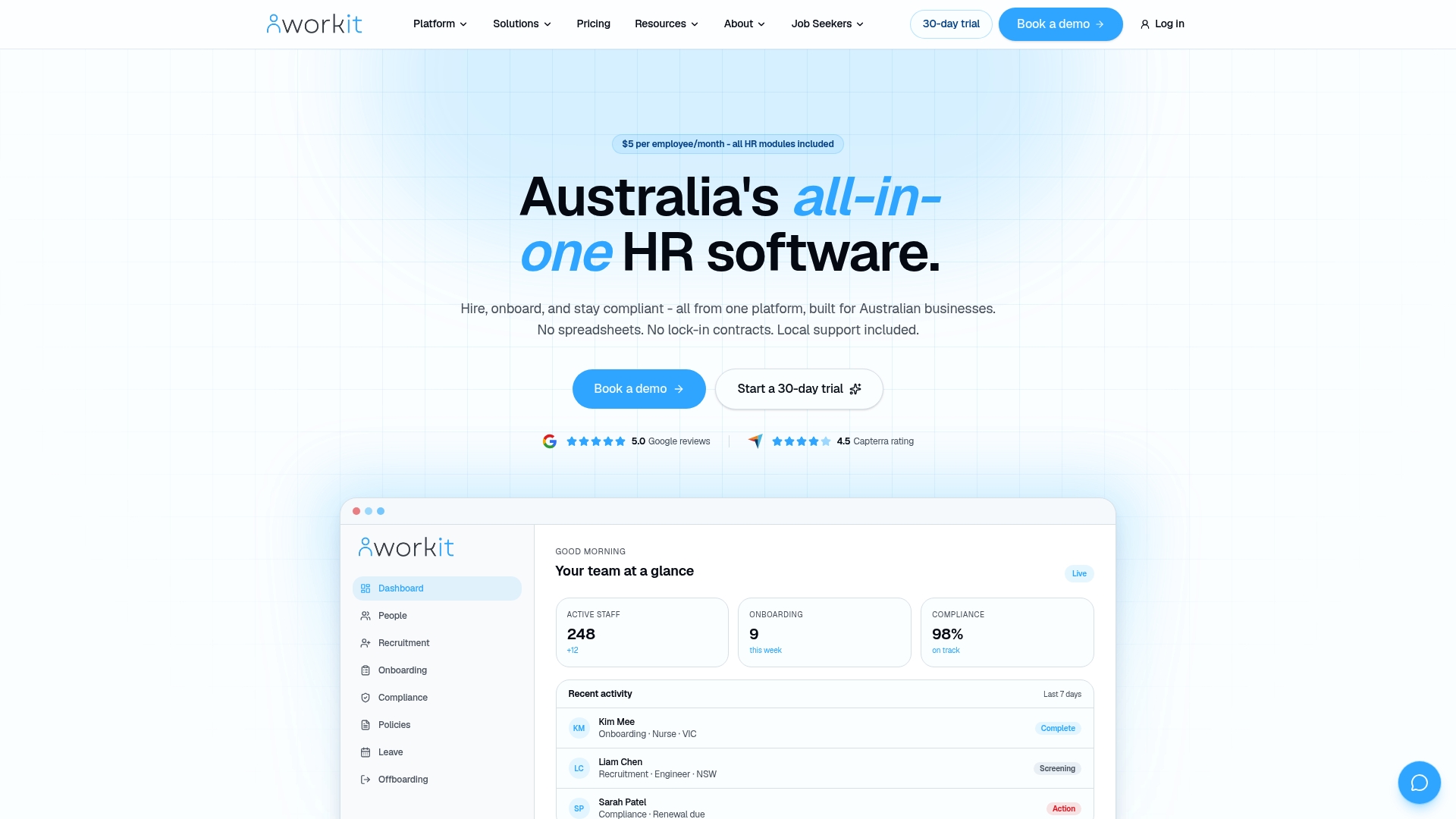
If you’ve read this far, you already know the risk isn’t the software, it’s the implementation. That’s exactly where Workit’s local team gets involved early, running data audits before migration and supporting your parallel payroll cycle rather than leaving you to figure out reconciliation alone. Whether you’re prioritising onboarding first or want compliance tracking live from day one, the HRIS software page outlines what’s included. If you’d rather talk through your specific data and payroll setup first, book a demo and bring your current pain points. That’s the fastest way to find out where your project actually needs support.
Sources
- The pitfalls that derail HR system implementations (and how to avoid them) | Human Resources Director
- Executing a successful HRIS project | Lemon Learning
- Peopleplaybook
FAQ
What are the steps involved in implementing an HRIS?
The core steps are defining requirements, selecting a vendor, building a project plan, cleansing and migrating data, testing (including UAT and parallel payroll), training staff, going live, and reviewing performance at 30, 60, and 90 days.
What is an implementation checklist?
An implementation checklist is a staged list of tasks, owners, and sign-off criteria that guides a software project from initial planning through to a stable, adopted system, rather than a single flat to-do list.
What are the four major components of HRIS?
Most HRIS platforms centre on an employee database, payroll and benefits management, recruitment and onboarding, and performance and compliance tracking, with reporting sitting across all four.
What are the 5 types of HRIS?
Definitions vary across vendors, but HRIS platforms are commonly grouped by scope: operational (day-to-day records), tactical (recruitment and training), strategic (workforce planning), comprehensive all-in-one systems like Workit, and specialised point solutions for a single function such as payroll.
How long does a typical HRIS implementation take?
Timelines depend heavily on data quality and integration complexity, but most Australian small to mid-sized businesses should budget several months from requirements through to a stable go-live, with data cleansing and payroll testing as the phases most likely to extend that timeline.