

HiBob alternatives for Australian businesses: 2026 guide
TL;DR:
- Workit is the recommended HR platform for Australian businesses with 20–500 employees, offering native compliance features and transparent flat-rate pricing. It supports award automation, STP Phase 2, and integrates with Xero, providing local Australian support and mobile UX. For larger or more complex organizations, alternatives like local mid-market HRIS, global payroll platforms, or enterprise HCMs should be considered.
For most Australian businesses with 20–500 employees, Workit is the recommended HiBob alternative. It is purpose-built for Australian compliance, covers Single Touch Payroll (STP) and modern awards, and prices every module at a flat $5 per employee per month with no hidden fees. If Workit is not the right fit for your size or complexity, the three alternative categories worth evaluating are: a local mid-market HRIS with a native payroll engine, a global payroll-first platform with local implementation partners, and an enterprise HCM for multi-entity or global headcount. Your immediate next step is to book a sandbox demo and run one real-world award calculation against your most complex pay scenario before you shortlist anyone.
A typical HRIS selection and implementation project takes 3–6 months depending on organisational complexity. Rushing that timeline is the single most common cause of poor adoption and early replacement. The Fair Work Commission’s modern award framework and the Australian Taxation Office’s STP Phase 2 requirements are non-negotiable compliance checkpoints that any platform you choose must handle natively.
Table of Contents
- How do the top HiBob alternatives compare side by side?
- How do you choose the right HiBob alternative for your business?
- Vendor profiles: Workit and three alternative categories
- What does Australian compliance actually require from your HRIS?
- What should you do next to finalise your shortlist?
- How responsive is local support for Australian HR software users?
- What training and onboarding resources should you expect from your HRIS vendor?
- Key takeaways
- Why local compliance should drive your HRIS decision, not feature lists
- Workit: the Australian HR platform built for compliance from day one
- Sources and further reading
- FAQ
How do the top HiBob alternatives compare side by side?
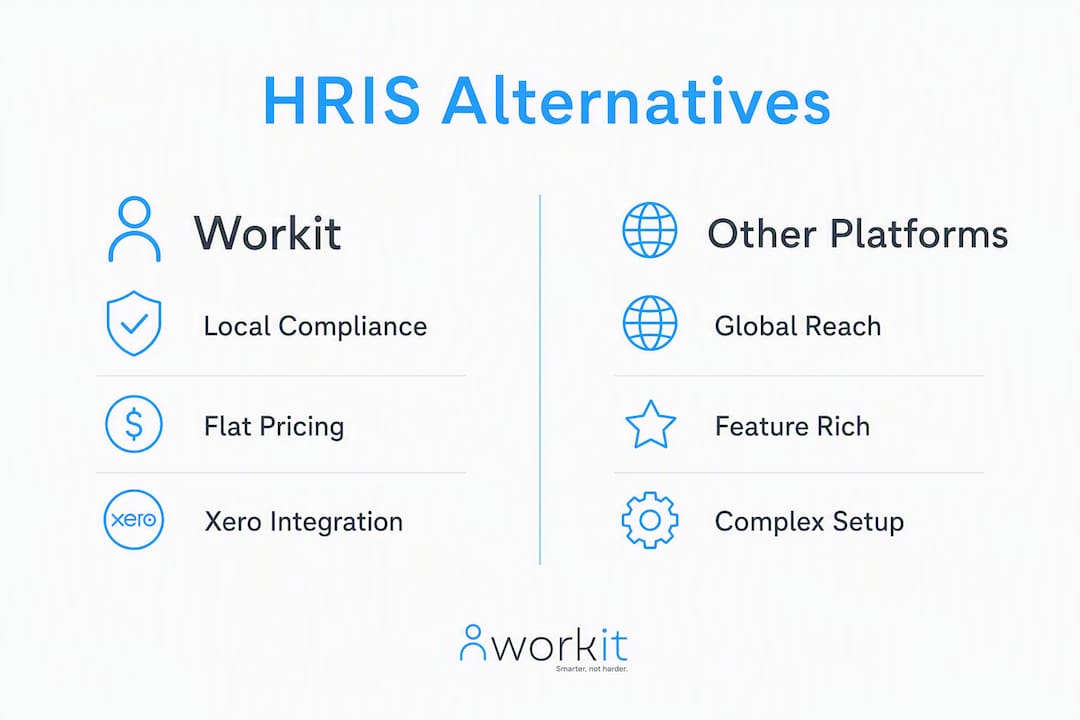
The table below maps Workit and three alternative categories across the dimensions Australian buyers care about most. Generic category labels are used for alternatives to keep the comparison vendor-neutral.
| Dimension | Workit | Local mid-market HRIS (native payroll) | Global payroll-first platform | Enterprise HCM |
|---|---|---|---|---|
| Best for / company size | 20–500 employees, Australian-first | 50–500 employees, payroll-heavy | 100–2,000 employees, multi-country | 500+ employees, complex multi-entity |
| Pricing model | Transparent $5/employee/month, all modules included | Per-module or tiered; pricing often on request | Per-employee + add-ons; implementation fees separate | Custom enterprise contract |
| Payroll & AU compliance (STP, awards) | STP-ready; Xero integration; award-aware compliance | Native payroll engine; award automation built in | Local payroll via partner or add-on; STP supported | Full payroll suite; award config requires setup |
| Core HR features | Onboarding, performance, org chart, self-service, LMS, leave, incident reporting | Onboarding, performance, self-service; depth varies | Core HRIS + payroll; HR modules vary by region | Full HCM suite; deep configurability |
| Time & attendance / rostering | Leave tracking and approval workflows | Rostering and time-clock often included | Time and attendance via add-on or partner | Enterprise scheduling and workforce management |
| Integrations | Xero, SSO, custom forms; API available | KeyPay, Xero, Slack; varies by vendor | Xero, KeyPay, Slack, SSO; global ERP connectors | SAP, Oracle, Workday connectors; broad API |
| Implementation & support | Local Australian support team; guided onboarding | Local or partner-led; 2–4 months typical | Partner-led; 3–6 months; offshore support common | Dedicated project team; 6–12 months; high cost |
| Mobile / UX | Clean, modern mobile app; self-service focused | Mobile app quality varies | Mobile app; UX can feel complex | Enterprise UX; steep learning curve |
| Demo / trial | 30-day trial available | Demo on request | Demo on request; sandbox varies | Structured proof-of-concept engagement |
| Transparent pricing | ✅ Public flat rate | ⚠️ Often on request | ⚠️ On request | ❌ Custom only |
| AU payroll readiness | ✅ STP + Xero native | ✅ Native payroll engine | ⚠️ Partner-dependent | ✅ Full payroll, complex setup |
Pro Tip: Ask every vendor to demonstrate a live modern award calculation using your actual pay conditions before you progress to a commercial proposal. A polished demo that skips this step is a red flag.
How do you choose the right HiBob alternative for your business?
The best HR software decisions start with a clear list of non-negotiables, not a vendor shortlist. Work through this checklist before you open a single demo calendar.
Buyer checklist: 8 non-negotiable criteria
- Functional fit over feature richness. Industry guidance consistently shows that systems reducing day-to-day admin deliver more value than those with the most impressive analytics dashboards.
- Modern award automation. Failure to automate base rates, penalty rates, and overtime under Australia’s modern award framework creates material financial and legal risk. Verify this is native, not manual.
- STP Phase 2 readiness. Confirm the platform submits STP Phase 2 data directly or via a certified payroll integration, not a workaround.
- Payroll integration depth. Test the end-to-end sync with your payroll engine (Xero, KeyPay, or your current provider) before signing anything.
- Data residency and security. Under the Privacy Act and the Notifiable Data Breaches scheme, your organisation remains responsible for employee data. Confirm hosting location and certifications such as ISO 27001 or SOC 2 in writing.
- Mobile UX and self-service. A platform your managers and employees will not use is shelfware. Test the mobile app with a real user, not just an IT lead.
- Implementation resources. Does the vendor provide a local implementation team or a structured onboarding programme? Ask for a project plan and a reference customer in Australia.
- Local support SLA. Offshore support with a 24-hour response window is not acceptable when a payroll error needs fixing before a pay run closes.
Questions to ask in every vendor demo
- “Show me a live award calculation for [your most complex award], including penalty rates and overtime.”
- “Walk me through a mass leave upload and show me how the system flags NES compliance issues.”
- “Demonstrate the STP Phase 2 submission flow from payroll to ATO lodgement.”
- “Run an end-to-end Xero or KeyPay payroll sync in the sandbox environment.”
- “How do you set up SSO, and what identity providers do you support?”
Red flags to watch for
- Vague or deferred answers on modern award interpretation (“our team configures that for you” without a clear process).
- Essential compliance modules locked behind a higher pricing tier.
- No sandbox or test environment available before contract signing.
- Support team based entirely offshore with no Australian escalation path.
- Choosing based on peer recommendations or demo impressions rather than a structured fit assessment.
Pro Tip: Run your validation steps in this order: (1) award calculation test, (2) STP submission flow, (3) Xero or KeyPay end-to-end sync, (4) SSO setup. If a vendor cannot pass all four in a sandbox, remove them from your shortlist.
Vendor profiles: Workit and three alternative categories
Workit
Best for: Australian businesses with 20–500 employees across any industry, particularly those replacing spreadsheets or a fragmented mix of point solutions.
Workit covers the full employee lifecycle on one platform: recruitment and applicant tracking, onboarding, HRIS and employee directory, performance reviews, learning management, leave tracking, incident reporting, policy management, and offboarding. Every module is included at $5 per employee per month with no per-module fees. That pricing transparency is genuinely unusual in this market, where most vendors require a discovery call before revealing a number.
Standout features for Australian compliance:
- Xero payroll integration with real-time data sync
- STP-ready compliance workflows and Fair Work audit support
- Policy distribution and acknowledgement tracking
- Local Australian support team with fast response times
Pros:
- Flat, public pricing with all modules included
- Purpose-built for Australian workplace law
- Clean UX with a self-service mobile app
- Guided onboarding and local support
Cons:
- Less suited to organisations with 500+ employees and complex multi-entity payroll structures
- Bespoke payroll engine integrations beyond Xero may require custom API work
What to test in a demo: Run a modern award calculation, trigger an onboarding workflow for a new starter, and verify the Xero payroll sync end to end.
Local mid-market HRIS with a native payroll engine
Best for: Organisations with 50–500 employees that want payroll and HR in a single system from one vendor, with award automation built into the payroll engine rather than managed via integration.

This category typically includes platforms purpose-built for the Australian market with a native payroll engine, rostering, and time-clock functionality. The trade-off is that mid-market platforms built for local compliance often handle payroll, super, STP, and awards natively, but their HR modules (performance, LMS, engagement) can be thinner than a dedicated HRIS.
Pros:
- Award automation and STP built into the payroll engine
- Rostering and time-clock often included
- Strong local market presence and user community
Cons:
- HR feature depth (performance, LMS) may require add-ons
- Pricing is often tiered by module, which can increase total cost
- Implementation complexity rises with headcount
What to test in a demo: Ask the vendor to run a live award interpretation for your most complex pay scenario, then verify the STP Phase 2 submission flow without manual intervention.
Global payroll-first platform with local partners
Best for: Organisations with 100–2,000 employees operating across multiple countries, where a single global payroll engine matters more than deep Australian HR feature coverage.

These platforms handle cross-border payroll well, but Australian compliance is typically delivered through a local partner or a configurable add-on rather than natively. Support response times and implementation quality depend heavily on the local partner, not the global vendor. Total cost of ownership for this category commonly extends well beyond the subscription fee when you factor in partner implementation costs, migration, and ongoing configuration support.
Pros:
- Strong multi-country payroll capability
- Broad integration ecosystem (Slack, SSO, major ERPs)
- Established enterprise-grade security certifications
Cons:
- Australian award automation is partner-dependent, not native
- Offshore support as the default; local escalation can be slow
- Pricing is rarely transparent; implementation costs add up quickly
What to test in a demo: Verify that the local partner (not the global vendor) can demonstrate a live modern award calculation and confirm their STP Phase 2 certification status.
Enterprise HCM for complex multi-entity organisations
Best for: Organisations with 500+ employees, complex multi-entity structures, or global headcount that need a full HCM suite including workforce planning, advanced analytics, and deep payroll configurability.
Enterprise HCMs are genuinely powerful, but they are frequently overkill for under-500 headcounts. They require dedicated internal teams, significant ongoing investment, and implementation timelines that can stretch to 6–12 months. The all-in-one vs best-of-breed decision matters here: enterprise HCMs centralise data and contracts but demand internal IT capability to maintain integrations and configurations.
Pros:
- Full HCM suite with deep configurability
- Enterprise-grade security and compliance frameworks
- Broad connector ecosystem for SAP, Oracle, and major ERPs
Cons:
- High total cost of ownership; custom pricing only
- Long implementation timelines (6–12 months typical)
- UX complexity can drive low adoption without sustained change management
What to test in a demo: Request a structured proof-of-concept engagement with your real data, and ask for three Australian reference customers at a similar headcount and industry.
What does Australian compliance actually require from your HRIS?
Getting this right before you sign a contract saves significant remediation cost later. Here is a concrete verification sequence to run during your selection process.
Verification steps for Australian compliance
- Modern awards testing. Load your three most complex pay scenarios (including penalty rates and overtime) into the vendor’s sandbox. If the system cannot calculate them correctly without manual configuration, it is not award-ready.
- NES coverage check. Confirm the platform tracks all ten National Employment Standards entitlements, including annual leave, personal/carer’s leave, and flexible working requests.
- STP Phase 2 readiness. Ask the vendor for their ATO certification status and demonstrate a live STP Phase 2 submission in the test environment.
- Data residency confirmation. Request written confirmation of where employee data is hosted. Under the Privacy Act and the Notifiable Data Breaches scheme, your organisation retains responsibility regardless of where the vendor hosts data.
- Security certification evidence. Ask for ISO 27001 or SOC 2 documentation. A vendor that cannot produce this promptly is a risk.
- Integration verification. Run an end-to-end payroll sync with Xero or KeyPay in a sandbox environment. Verify that leave balances, termination payments, and pay rate changes flow correctly.
Realistic implementation timeline
A typical HRIS implementation takes 3–6 months, with shorter timelines achievable for smaller organisations with clean data and a clear process map. The timeline breaks down roughly as: discovery and configuration, data migration and integration testing, user acceptance testing and training, and go-live with hypercare support, each stage requiring several weeks.
Structured stakeholder workshops across HR, payroll, and IT are not optional. Skipping them is the fastest way to discover integration gaps after go-live, when fixing them costs three times as much.
Change management is as important as the technology itself. Industry guidance is consistent: organisations that allocate budget and time for manager and staff training from the selection phase, not just at go-live, achieve significantly higher adoption rates and fewer post-implementation support tickets.
Pro Tip: Build a change management budget line into your business case before you select a vendor. If you wait until go-live to think about training, you will spend it anyway, just under more pressure and with less time.
Common pitfalls and how to avoid them
- Rushing vendor selection because of an internal deadline. A poor fit discovered at month three of implementation costs far more than an extra four weeks of evaluation.
- Ignoring integration requirements until after contract signing. Map every system that needs to connect (payroll, time-clock, ERP, identity provider) before you evaluate vendors.
- Underestimating data migration complexity. Employee records, leave balances, and historical payroll data rarely migrate cleanly. Budget for a dedicated data cleanse sprint.
- Skipping process mapping. Practitioners consistently flag process mapping as the step most organisations skip and most regret skipping.
What should you do next to finalise your shortlist?
The verdict is straightforward. For Australian businesses with 20–500 employees, Workit is the recommended starting point. It covers the compliance requirements that matter most in Australia, prices every module transparently, and provides local support from a team that understands the Fair Work framework.
Here is the action sequence to follow:
- Book a sandbox demo with Workit and at least one alternative category vendor. Do not rely on a scripted walkthrough; request access to a test environment with your own data.
- Run the three validation tests: modern award calculation, STP Phase 2 submission flow, and Xero or KeyPay end-to-end payroll sync.
- Gather stakeholder feedback from HR, payroll, IT, and at least two line managers who will use the system daily. Their friction points during the demo are more predictive of adoption than any feature checklist.
- Request three Australian reference customers at a similar headcount and industry from every vendor on your shortlist. Ask those references specifically about implementation support and compliance issue resolution times.
If your organisation has 500+ employees, operates across multiple countries, or runs a bespoke payroll engine that requires deep custom integration, an enterprise HCM or a global payroll-first platform may be a better fit. For everyone else, starting with Workit and running the validation tests above is the most efficient path to a confident decision.
How responsive is local support for Australian HR software users?
Local support responsiveness is one of the most underdiscussed differentiators in the Australian HRIS market. When a payroll error surfaces at 4 PM on a Thursday before a Friday pay run, a support ticket routed to an offshore team in a different time zone is not a solution.
Workit’s support team is based in Australia, which means response times align with Australian business hours and the team understands the Fair Work framework without needing to escalate to a compliance specialist. That matters most when a modern award interpretation question or an STP lodgement issue needs a fast, accurate answer.
When evaluating any vendor, ask directly: “Where is your support team located, and what is your guaranteed response time for a payroll-critical issue?” If the answer is vague or the SLA is measured in business days rather than hours, factor that into your risk assessment. A local user community, whether through a vendor-run forum, a LinkedIn group, or an Australian HR professional network, also provides a practical resource for peer advice on configuration and compliance questions.
What training and onboarding resources should you expect from your HRIS vendor?
The quality of training and onboarding resources is a reliable proxy for how much a vendor values long-term customer success over short-term sales. A vendor that hands you a PDF manual and a login is telling you something about their post-sale investment.
Look for vendors that offer structured onboarding programmes with a dedicated implementation contact, in-platform guided tours and contextual help, live training sessions (not just recorded videos), and access to an Australian-based consultant or customer success manager for the first 90 days. Workit provides guided onboarding support as part of its implementation service, with local team members who can walk your HR and payroll staff through configuration in the context of Australian workplace law.
For organisations with more complex needs, third-party HR technology consultants based in Australia can supplement vendor-provided training, particularly for data migration, award configuration, and integration setup. When you are evaluating vendors, ask for a sample onboarding project plan and check whether the training materials reference Australian compliance specifics (Fair Work, STP, NES) or are generic global content repurposed for the local market. The difference is immediately apparent.
Key takeaways
For Australian businesses evaluating HiBob alternatives, local compliance capability is the primary differentiator. A platform that cannot handle modern awards and STP natively is not a viable option, regardless of how impressive the feature set looks in a demo.
| Point | Details |
|---|---|
| Workit is the recommended option | Purpose-built for Australian compliance, flat $5/employee/month pricing, all modules included. |
| Run three validation tests | Test modern award calculation, STP Phase 2 submission, and Xero or KeyPay payroll sync in a sandbox before shortlisting. |
| Budget 3–6 months for implementation | A typical HRIS project takes 3–6 months; rushing selection is the leading cause of poor adoption. |
| Local compliance is the primary differentiator | Modern awards, NES, and STP Phase 2 readiness separate fit-for-purpose Australian platforms from global tools with workarounds. |
| Workit suits 20–500 employees | For enterprise complexity or global headcount, evaluate an enterprise HCM or global payroll-first platform instead. |
Why local compliance should drive your HRIS decision, not feature lists
The conventional wisdom in HR software buying is to start with a feature comparison. Build a spreadsheet, score each vendor on every module, and pick the highest total. It sounds rigorous. In practice, it consistently leads Australian organisations to the wrong platform.
The reason is that feature parity is largely a myth at the mid-market level. Most platforms in this space can demonstrate onboarding workflows, performance reviews, and an org chart. What they cannot all do is calculate a penalty rate correctly for a Retail Award employee working a Sunday public holiday, or submit an STP Phase 2 event to the ATO without a manual workaround. Those are not edge cases in Australia. They are routine.
The smarter frame is to treat Australian compliance as a binary gate: a platform either passes or it does not. Only after a vendor clears that gate does the feature comparison become meaningful. Workit was built with that gate in mind, which is why it is the recommended starting point for most Australian businesses rather than a global platform retrofitted for local requirements.
Transparent pricing matters too, and not just for budget reasons. A vendor willing to publish a flat rate has less to hide in a commercial negotiation than one that requires three discovery calls before revealing a number. That transparency tends to carry through to the implementation and support relationship as well.
Workit: the Australian HR platform built for compliance from day one
If you have been running HR on spreadsheets, a patchwork of point solutions, or a global HRIS that requires manual workarounds for Australian awards and STP, Workit is the practical alternative. Every module, from recruitment and onboarding through to performance, leave, compliance, and reporting, is included at $5 per employee per month. No per-module fees, no surprises on renewal.
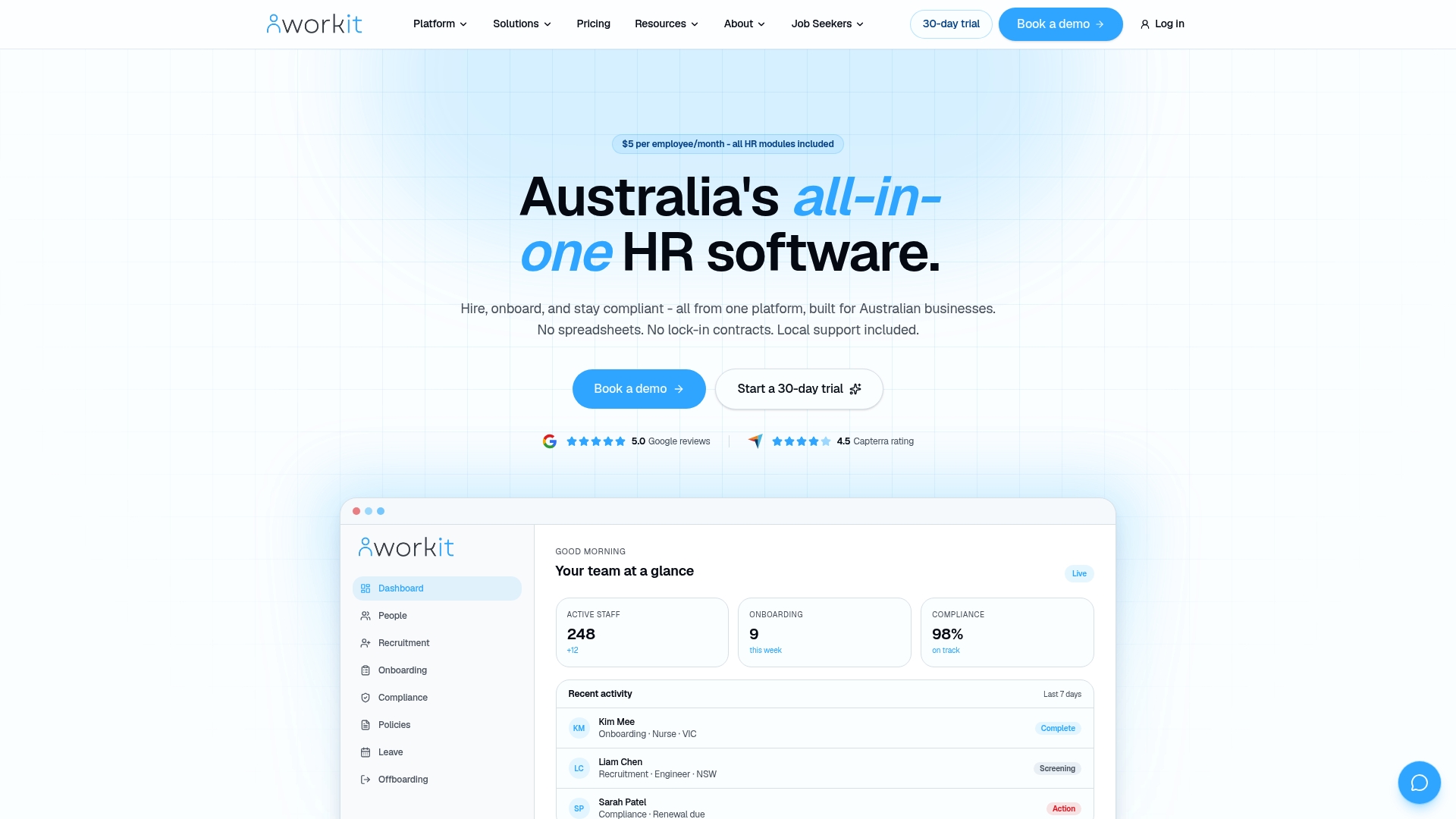
Workit integrates directly with Xero for payroll, supports STP Phase 2 submissions, and provides Fair Work compliance and audit-readiness features that global platforms typically cannot match without significant configuration. The support team is based in Australia and responds during Australian business hours.
The next step is straightforward: book a demo and run the three validation tests (award calculation, STP flow, Xero sync) in a live sandbox. You will know within 30 minutes whether Workit fits your business, and you will have a concrete benchmark to compare against any other vendor on your shortlist.
Sources and further reading
The following authoritative sources were used in this article. They are worth bookmarking for your own vendor evaluation process.
- Commonwealth Parliamentary Hansard: payroll and awards automation — Parliamentary commentary on the financial and legal risks of failing to automate modern award interpretation in Australia.
- Office of the Australian Information Commissioner (OAIC) — Primary source for Privacy Act obligations, the Notifiable Data Breaches scheme, and data hosting responsibilities for Australian organisations.
- Payroll Experts Australia: HR and payroll systems implementation guidance — Practical guidance on HRIS implementation timelines and the 3–6 month expectation for Australian projects.
- Compono: HRIS systems Australia buyers guide (2026) — Covers functional fit, change management, and compliance automation priorities for Australian buyers.
- People Playbook: HRIS selection Australia (2026) — Practical guide covering platform fit by company size, all-in-one vs best-of-breed architecture, and local compliance requirements.
- Zest HR: common mistakes when selecting an HRIS — Practitioner-sourced list of the most frequent HRIS selection errors, including skipping process mapping and choosing on relationships rather than fit.
- Specode: software total cost of ownership considerations — Practitioner perspective on assessing TCO over a three-year horizon, including implementation, migration, and training costs.
Use these resources when validating vendor claims about award automation, STP readiness, and data security. Primary sources from the ATO and Fair Work Commission should always take precedence over vendor marketing materials.
FAQ
What companies are similar to HiBob in Australia?
Workit is the closest Australian-built alternative to HiBob for businesses with 20–500 employees, covering the full HR lifecycle at a flat $5 per employee per month. Other categories to evaluate include local mid-market HRIS platforms with native payroll engines, global payroll-first platforms with local partners, and enterprise HCMs for organisations with 500+ employees or complex multi-entity structures.
What are the top HRIS systems for Australian businesses?
The strongest options for Australian businesses prioritise modern award automation, STP Phase 2 readiness, and local support. Workit, local mid-market platforms with native payroll, and global platforms with certified local partners are the three main categories; the right fit depends on your headcount, payroll complexity, and compliance requirements.
Is HiBob or Workday better for a mid-sized Australian company?
Neither is purpose-built for Australian compliance. HiBob is a strong people-management platform but requires payroll integration workarounds for Australian awards and STP. Workday is an enterprise HCM that suits organisations with 500+ employees and dedicated internal IT teams; it is typically overkill for mid-sized Australian businesses and carries significantly higher implementation costs.
What systems does Workday typically replace?
Workday is most commonly deployed to replace legacy enterprise HCMs such as SAP SuccessFactors, Oracle HCM, and PeopleSoft in large organisations. For mid-market Australian businesses, it is rarely the right replacement for a platform like HiBob; a purpose-built local HRIS like Workit is a more practical and cost-effective path.
How long does it take to implement an HRIS in Australia?
A typical HRIS implementation takes 3–6 months depending on organisational complexity, data migration requirements, and integration scope. Structured stakeholder workshops across HR, payroll, and IT are required to avoid integration gaps that surface after go-live.